TryHackMe — Confidential

A group of self-declared “black hat hackers” left behind a confidential case file. Inside the PDF: a QR code — partially covered by a red triangle overlay. The mission: uncover the original QR code and read the flag.
This is a short forensic challenge with a single question. No network scanning, no exploitation — just a PDF and the right tool to take it apart. Completed in 22 minutes including AttackBox boot time.
| Field | Details |
|---|---|
| Platform | TryHackMe |
| Room/Machine | Confidential |
| Difficulty | Easy |
| Tags | pdf, forensics, pdfimages, cyberchef, qr-code |
Theory
PDF Layer Structure
A PDF can contain multiple embedded objects — text, images, vector graphics — layered on top of each other. What looks like a single image might actually be several separate images composited together. Forensic tools can extract these layers individually, revealing content that’s visually hidden by overlapping elements.
Poppler Utils
poppler-utils is a collection of command-line tools for working with PDF files. I already knew pdfinfo from the Intro to Digital Forensics room. The key tools:
pdfinfo— PDF metadata (producer, creation date, page count, encryption status)pdfimages— extracts all embedded images as separate filespdftotext— extracts text content
Reconnaissance
Initial File Inspection
The VM provides Repdf.pdf in ~/confidential/. Opening it shows a QR code partially obscured by a red warning triangle.
1
pdfinfo Repdf.pdf
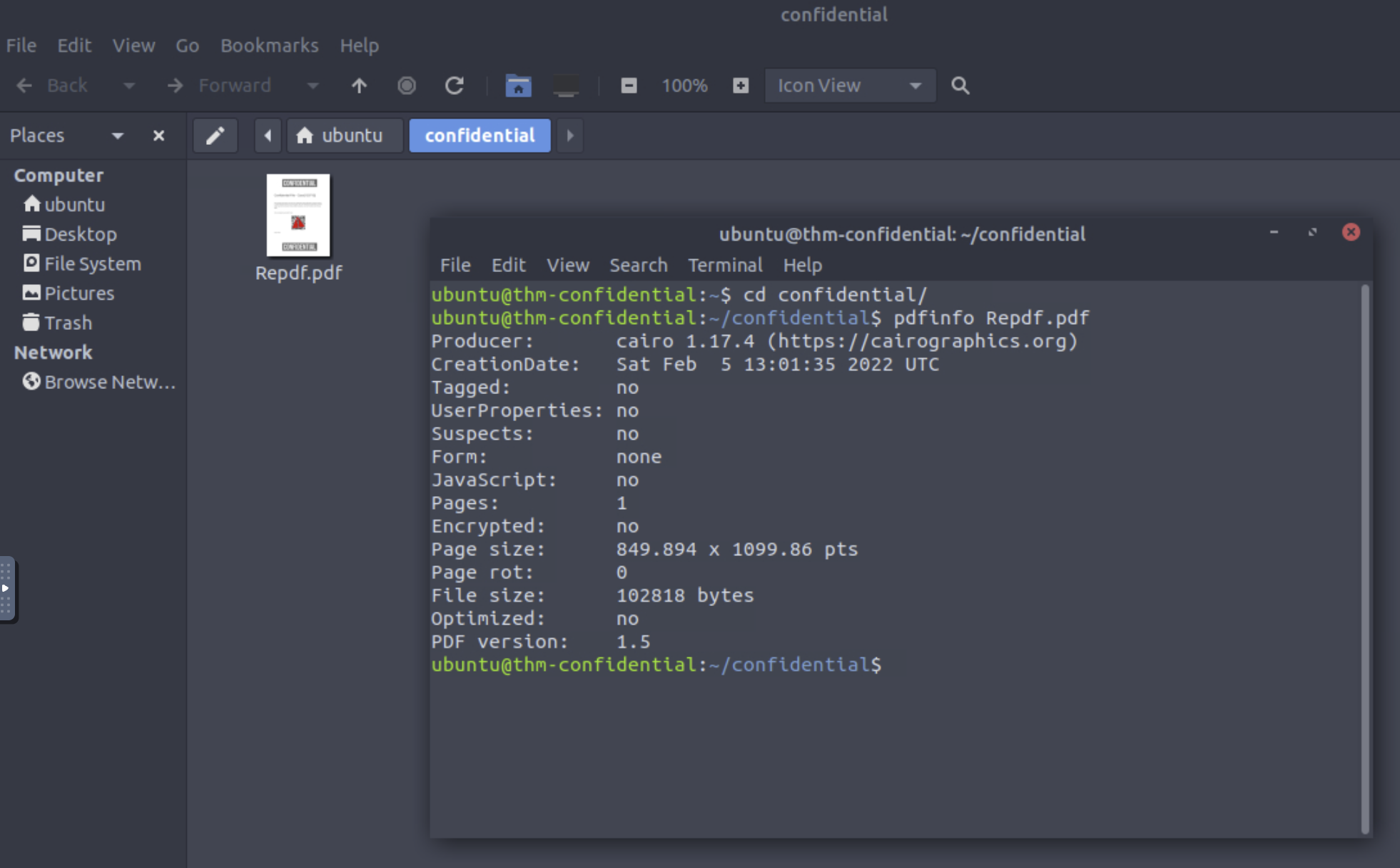
Single-page PDF, produced by cairo, not encrypted. Nothing suspicious in the metadata — the interesting part is in the embedded images.
Data Extraction & Recovery
Discovering pdfimages via Tab Completion
Knowing that pdfinfo is part of the poppler toolset, typing pdf and pressing Tab revealed pdfimages — a tool specifically designed to extract individual images from a PDF.
Extracting the Layers
1
pdfimages Repdf.pdf images
Result: three separate .ppm files.
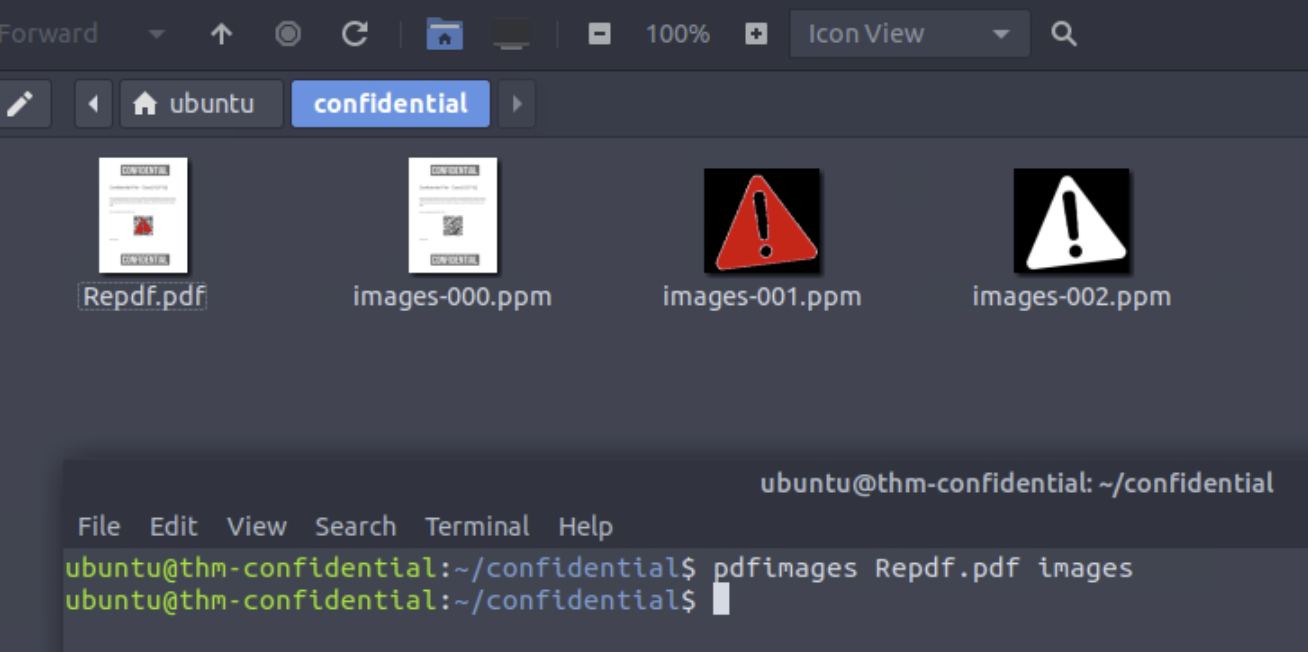
images-000.ppm— the original page including the clean QR code, without overlaysimages-001.ppm— the red warning triangle (coloured)images-002.ppm— the warning triangle (black and white)
Decoding the QR Code
Opening images-000.ppm reveals the full QR code. Decoded in CyberChef using Parse QR Code:
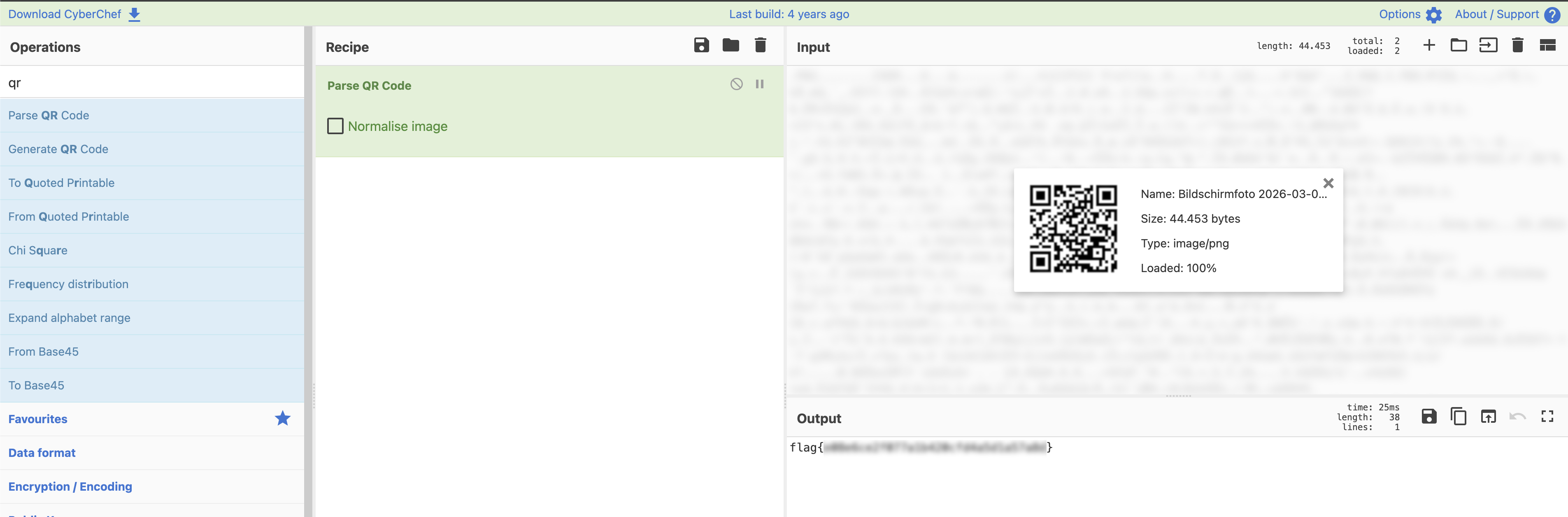
The output is the flag.
Tools Used
pdfinfo— PDF metadata inspectionpdfimages— image layer extractionstrings— quick plaintext scan (no results)- CyberChef — QR code decoding
Lessons Learned
Use what’s already there. Knowing one tool from a package (pdfinfo) and pressing Tab led directly to pdfimages — the tool that solved the challenge.
PDFs are containers, not flat images. A redacted element in a PDF might just be another image placed on top — extractable with the right tool.
Prior rooms build on each other. pdfinfo from the Intro to Digital Forensics room pointed to the poppler toolset, which contained the solution.